ReddRadar

What is Sync2?
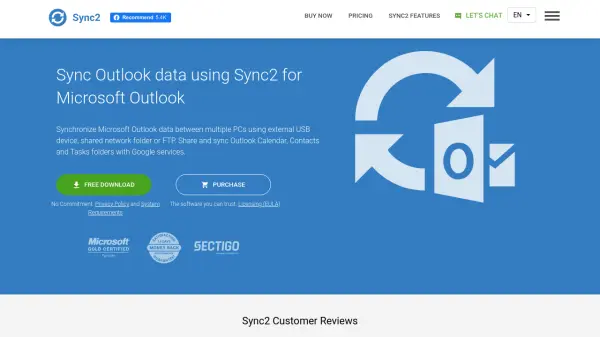
Sync2 is a downloadable PC application designed to synchronize Microsoft Outlook data across multiple computers without requiring an Exchange Server. The software enables users to sync Outlook Calendar, Contacts, Tasks, and Email folders between different PCs using external USB devices, shared network folders, or FTP connections. It also facilitates synchronization with Google services including Google Calendar, Gmail Contacts, and Google Tasks.
The application supports various Outlook versions from 2002 to 2019 and offers features such as one-way synchronization, instant sync after changes, and background operation even when Outlook is not running. Users can schedule automatic synchronizations or perform manual syncs as needed, with only changed data being transferred to optimize efficiency.
Features
- Multi-PC Synchronization: Sync Outlook Calendar, Contacts, and Tasks between multiple computers without Exchange Server
- Google Services Integration: Synchronize Outlook data with Google Calendar, Gmail Contacts, and Google Tasks
- One-Way Sync Option: Transfer changes from Outlook to Google or from Google to Outlook only
- Background Operation: Complete automatic synchronization even when Outlook is not running
- Event-Based Transfer: Only changed data is transferred, making subsequent syncs faster
Use Cases
- Synchronizing Outlook calendars and contacts between office and home computers
- Sharing Outlook task lists with team members via Google Tasks
- Accessing Outlook calendar data on smartphones through Google Calendar sync
- Backing up Outlook data to external USB devices for portability
- Migrating Outlook contacts to Gmail for cross-platform accessibility
FAQs
-
What Outlook versions does Sync2 support?
Sync2 supports Microsoft Outlook versions 2002, 2003, 2007, 2010, 2013, 2016, and 2019. -
Can Sync2 synchronize Outlook data with mobile devices?
Yes, by synchronizing Outlook data with Google services, users can access their Calendar, Contacts, and Tasks on smartphones and tablets through Google apps. -
Does Sync2 require an Exchange Server to work?
No, Sync2 synchronizes Outlook data between multiple PCs without requiring an Exchange Server, using USB devices, network folders, or FTP instead. -
Can Sync2 synchronize only specific Outlook folders?
Yes, Sync2 allows synchronization of specific Outlook Personal Folders (.PST files) including Calendar, Contacts, Tasks, and Email folders.
Related Queries
Helpful for people in the following professions
Sync2 Uptime Monitor
Average Uptime
0%
Average Response Time
0 ms