ReddRadar


What is AI Image Splitter?
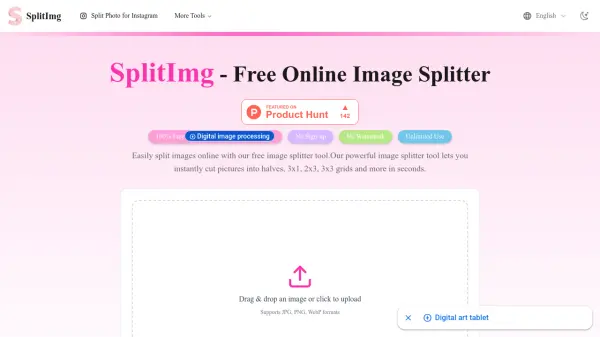
AI Image Splitter is a free online image splitter and photo grid maker tool that enables users to split images for various social media platforms and print layouts. The tool offers built-in ratio presets including Default, 4:5, 3:4, and 1:1, along with customizable row and column settings. Users can drag a crop box to select the best area for splitting, ensuring key subjects remain intact across all slices.
All image processing occurs locally within the user's browser, meaning no files are uploaded to external servers, providing enhanced privacy and security. The tool supports multiple image formats such as JPG, PNG, GIF, and WebP, with files up to 50MB. After splitting, users can download individual slices or a ZIP bundle in formats like JPG, PNG, WebP, or BMP, making it suitable for creating Instagram carousels, Pinterest collages, TikTok stories, and A4 printouts.
Features
- Completely Free: No logins, watermarks, or paywalls required for unlimited use
- Flexible Ratio Presets: Built-in Default, 4:5, 3:4, and 1:1 ratios for platform-specific layouts
- Local Browser Security: All processing stays on the user's device for privacy
- Multi-Format Support: Upload JPG, PNG, GIF, WebP up to 50MB and export as JPG, PNG, WebP, BMP
- Customizable Grids: Adjust rows and columns with draggable crop box for precise splitting
- One-Click Export: Download single slices or ZIP bundles instantly
Use Cases
- Creating Instagram grids and carousel posts
- Designing Pinterest boards and shop collages
- Preparing A4 print sheets and PDF handouts
- Splitting images for web sections and multi-screen displays
- Making long-story posts for TikTok and scroll experiences
- Producing tutorials and team walkthroughs with split images
FAQs
-
What is AI Image Splitter and why is it the best online image splitter?
AI Image Splitter is a free online tool that splits images into grids for social media and print layouts with built-in ratio presets and local browser processing for privacy, making it efficient and secure. -
How do I split an image online step by step?
Upload an image, pick a ratio and layout, drag the crop box, and split to download slices or a ZIP bundle in formats like JPG or PNG. -
Can I use this image splitter for Instagram grids and carousel posts?
Yes, it supports Instagram grids and carousels with ratios like 4:5 and 3:4 for seamless posts. -
Which image formats and downloads are supported?
Upload JPG, PNG, GIF, WebP up to 50MB and export as JPG, PNG, WebP, or BMP, with single slices or ZIP downloads. -
Is AI Image Splitter free, unlimited, and watermark-free?
Yes, it is completely free with no usage limits, watermarks, or signups required.
Related Queries
Helpful for people in the following professions
AI Image Splitter Uptime Monitor
Average Uptime
0%
Average Response Time
0 ms