ReddRadar

What is SplitImg?
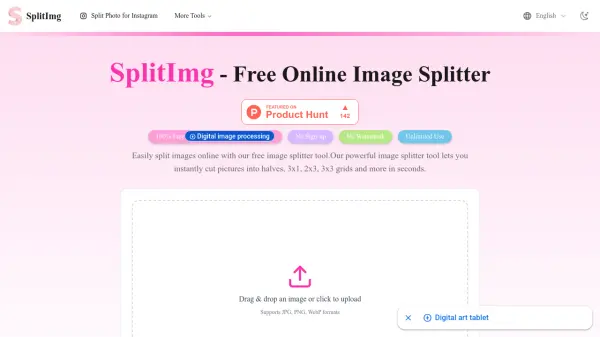
SplitImg is a powerful web-based image splitter tool designed for effortless photo division. It enables users to precisely cut images into various configurations such as halves, 3x1 grids, 2x3 layouts, and 3x3 grids within seconds. The tool supports multiple image formats including JPG, PNG, and WebP, ensuring compatibility with most digital images.
With its intuitive interface, SplitImg offers flexible splitting options for horizontal, vertical, or custom grid divisions. Users can create Instagram-ready carousels and multi-post grid layouts to enhance their social media presence. The platform processes images securely on the user's device without storing any data, maintaining privacy while delivering professional results.
Features
- Grid Image Splitter: Split images into equal rows and columns for carousels and Instagram grids
- Horizontal & Vertical Split: Divide pictures exactly in half or into any number of equal strips
- Multiple Format Support: Upload and split JPG, JPEG, PNG, and WEBP images
- Live Preview: See exactly how your image will be split before downloading
- No Watermarks Added: Download split image segments clean without any watermarks
- Free & Unlimited Use: Process images without limits, watermarks, or hidden costs
Use Cases
- Creating Instagram carousels with multiple image segments
- Designing Instagram grid layouts for profile aesthetics
- Preparing social media posts with split images for different platforms
- Dividing panorama photos for sequential display
- Splitting product images for marketing campaigns
- Preparing large digital artworks for printing in sections
- Creating web layout graphics and hero image divisions
FAQs
-
What image formats does the tool support?
Currently, you can upload and split images in common formats like JPG, JPEG, PNG, and WEBP. We are continuously working to support more formats in the future. -
Can I split an image into a specific number of pieces?
Yes! You can split images horizontally or vertically into any number of equal strips. You can also use the grid option to split into rows and columns. -
Is it safe and private to use this image splitter?
We prioritize your privacy and security. We do not store or share your images. All processing is done on your device, we do not store any data. -
Do I need to download or install any software?
No software installation is required. SplitImg is a completely web-based tool. You can access and use our image splitter from any modern web browser on your computer or mobile device. -
How can I use the split images for an Instagram carousel?
To create a seamless Instagram carousel, choose the 'Horizontal Split' option and select the number of images you want in your carousel. Upload the downloaded images to Instagram in the correct order.
Related Queries
Helpful for people in the following professions
SplitImg Uptime Monitor
Average Uptime
0%
Average Response Time
0 ms