ReddRadar

What is MyGeodata Converter?
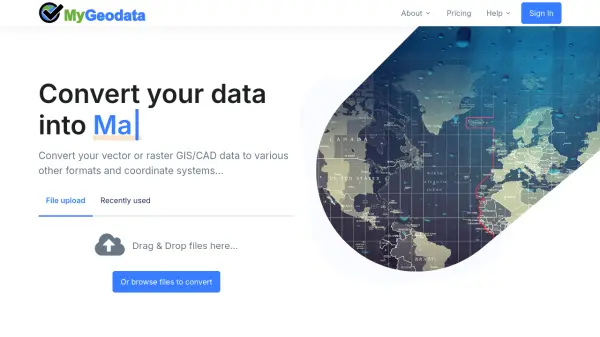
MyGeodata Converter is a web-based tool designed to convert GIS and CAD data between numerous vector and raster formats. It supports coordinate system transformations and handles both vector (e.g., Shapefile, GeoJSON, DXF) and raster (e.g., GeoTIFF, JPEG, PNG) data types. The platform offers bulk conversion capabilities and is optimized for CAD formats like DXF, DGN, and DWG.
Users can upload files directly or drag-and-drop them into the interface. The converter also facilitates data display in Google Earth by providing KML/KMZ output formats. With various subscription plans and one-off payment options, MyGeodata Converter caters to both occasional and intensive geospatial data processing needs.
Features
- Wide Format Support: Supports numerous vector and raster GIS/CAD formats including Shapefile, GeoJSON, DXF, DWG, GeoTIFF, and many more.
- Coordinate System Transformation: Allows users to convert data between different coordinate reference systems.
- Bulk Conversions: Enables batch processing of multiple files simultaneously.
- CAD Compatibility: Handles AutoCAD DXF, Microstation DGN, and AutoCAD DWG formats.
- Google Earth Output: Converts data to KML/KMZ format for display in Google Earth.
Use Cases
- Converting GIS data for use in different software applications
- Transforming coordinate systems for compatibility with local mapping standards
- Preparing CAD drawings for integration into GIS projects
- Exporting data to KML/KMZ for visualization in Google Earth
- Batch processing large sets of geospatial files
FAQs
-
Can I cancel my subscription at anytime?
Yes, you can cancel anytime through the "Cancel" option in your account settings or by contacting technical support. The plan will remain active until the end of the prepaid period. -
How are conversions counted?
The counting period starts when you order the plan. The system considers conversions from the last 30 days. The plan resets 30 days after your last conversion. Each conversion older than 30 days is forgotten. -
How secure is my data?
All data transfers use encrypted SSL protocol. Uploaded and converted data is temporarily stored in the data center and automatically deleted after some time. No one else has access except you and technical support upon your request. -
What if I am unable to log in?
Check that you are using the correct email used for registration. You can also try logging in with Google or Facebook accounts. Use the "Forgot your password" link to reset your password.
Related Queries
Helpful for people in the following professions
MyGeodata Converter Uptime Monitor
Average Uptime
0%
Average Response Time
0 ms