
What is TypeType?
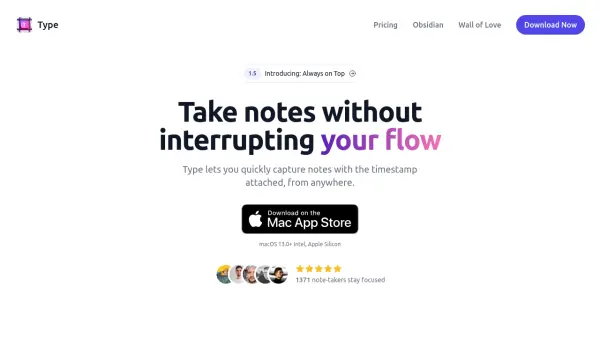
TypeType is a minimalist note-taking application designed for macOS that enables users to capture notes instantly without disrupting their workflow. It operates as a command bar-style tool, accessible via a hotkey from any location on the Mac, allowing for rapid entry of thoughts with automatic timestamping. Notes are saved as individual text files on the device, ensuring offline accessibility and compatibility with external text editors such as Obsidian.
The app supports features like Markdown formatting, customizable date formats, and full keyboard navigation, making it highly adaptable for various use cases. It focuses on simplicity and efficiency, providing a streamlined interface that keeps users focused while organizing notes with timestamps for better context and review.
Features
- Hotkey Activation: Launch the app quickly from anywhere on Mac via a customizable hotkey
- Automatic Timestamping: Attach timestamps to each note for context and tracking
- Text File Storage: Save notes as individual text files on the device for offline access
- Markdown Support: Write notes using Markdown formatting for enhanced text styling
- Keyboard Navigation: Fully navigate the app using keyboard shortcuts for efficiency
- Customizable Date Format: Select preferred date formats, including ISO format
- Obsidian Integration: Seamlessly work with Obsidian for note management and quick capture
- Always on Top Option: Keep the note window visible at all times for uninterrupted use
Use Cases
- Obsidian Quick Capture – Write notes directly into Obsidian files
- Brain Dump – Capture and review thoughts later
- Highlights – Note ideas for meetings or discussions
- Meetings – Take notes during meetings with timestamps
- Time Tracking – Monitor time spent on tasks through notes
- Journaling – Maintain daily notes or personal journals
- Debugging – Record steps to reproduce bugs
- General Note-Taking – Quick entries for any purpose
FAQs
-
Can I add existing notes to TypeType?
Yes, you can import existing notes and append entries to them within the app. -
How does TypeType work with Obsidian?
TypeType integrates with Obsidian by allowing quick capture of notes directly into Obsidian files, making it a complementary tool for Obsidian users. -
Can I customize the date format in TypeType?
Yes, you can select your preferred date format or create a custom one, such as ISO format. -
Is Markdown supported in TypeType?
Yes, TypeType supports Markdown formatting for notes. -
Are there keyboard shortcuts to navigate within TypeType?
Yes, the app is fully navigable via keyboard shortcuts for efficient use.
Related Queries
Helpful for people in the following professions
TypeType Uptime Monitor
Average Uptime
0%
Average Response Time
0 ms