ReddRadar

What is DumbNote?
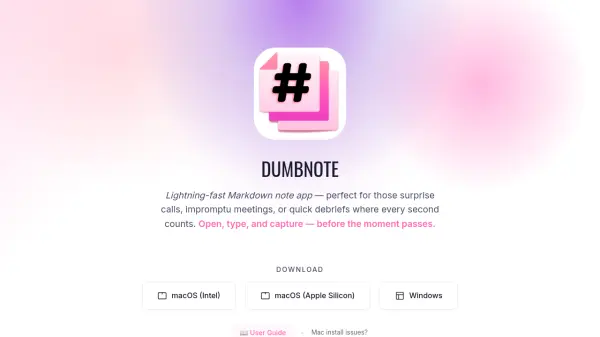
DumbNote is a desktop note-taking application designed for speed and simplicity. It enables users to quickly capture thoughts, ideas, and information using Markdown formatting without the complexity of cloud-based systems. The application saves all notes as plain .md files directly on the user's machine, ensuring complete data ownership and portability.
With features like live preview, drag-and-drop file support, and one-click export options, DumbNote provides a streamlined writing experience that works entirely offline. The tool includes intelligent writing aids such as smart completions, emoji shortcuts, and wiki-style linking while maintaining compatibility with any Markdown editor for future access.
Features
- Plain .md Files: All notes saved as local Markdown files with no proprietary formats
- Live Preview: Side-by-side Markdown rendering with real-time updates
- One-click Export: Convert notes to PDF, ZIP, or GitHub Gists instantly
- Drag & Drop Support: Insert images, PDFs, and files directly into notes
- Lightning-fast Search: Find notes quickly with instant results
- Multi-window Support: Open and edit multiple notes simultaneously
- GitHub Sync: Backup notes to GitHub with one-click functionality
- Import Existing Notes: Bring in .md files from other applications
Use Cases
- Quick note-taking during surprise calls or impromptu meetings
- Documenting code snippets and technical notes
- Journaling and personal thought capture
- Drafting ideas and brainstorming sessions
- Creating shareable documentation via PDF or web export
- Organizing notes with tags and wiki-style linking
- Offline note-taking without internet dependency
- Migrating from other note apps while maintaining file compatibility
FAQs
-
What file format does DumbNote use for saving notes?
DumbNote saves all notes as plain .md (Markdown) files directly on your local machine. -
Does DumbNote require an internet connection to work?
No, DumbNote works completely offline with no internet connection required. -
Can I import notes from other applications into DumbNote?
Yes, you can import existing .md files from other note-taking applications into DumbNote. -
What export options are available in DumbNote?
DumbNote allows exporting notes to PDF, ZIP archives, or publishing them via GitHub Gists. -
Is there a subscription fee for using DumbNote?
No, DumbNote is completely free with no subscriptions or payments required.