ReddRadar

What is PDFMerge.pro?
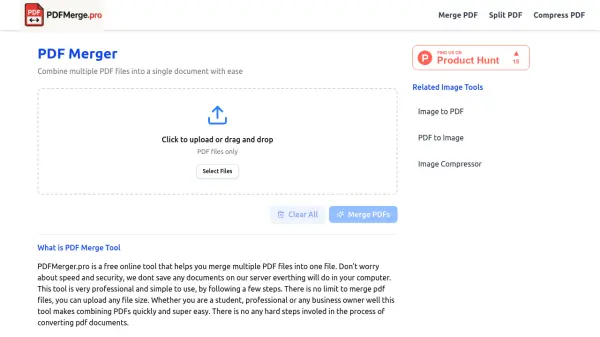
PDFMerge.pro provides a straightforward, no-cost solution for merging multiple PDF files into one seamless document directly in your browser. Designed for simplicity and effectiveness, this online tool enables users to select, arrange, and combine their PDF files with just a few clicks—eliminating technical hurdles and the need for registration.
All operations are performed locally to ensure document privacy and security: nothing is saved or processed on external servers. The platform supports unlimited file size and works on all devices, including Windows, Mac, Android, and iOS, making it an accessible option for students, professionals, business owners, and home users seeking efficient PDF management.
Features
- Free to Use: No hidden charges or premium plans are required.
- Cross-Device Compatibility: Works on Windows, Mac, Android, and iOS devices.
- No File Size Restriction: Merge both small and large PDF files with ease.
- Fast Processing: Most documents are merged within 10-15 seconds.
- Privacy-Focused: All file processing is local; no files are uploaded to servers.
- User-Friendly Interface: Simple drag-and-drop functionality for easy document selection.
Use Cases
- Students merging multiple assignments or research papers for submission.
- Teachers combining question papers, answer sheets, or teaching materials.
- Office professionals consolidating reports, contracts, or presentations.
- Small business owners merging bills, receipts, and related documents for accounting.
- Job seekers creating a comprehensive application file with resume, cover letter, and certificates.
- Freelancers compiling invoices and work samples for record keeping.
- Home users organizing family certificates, photos, and important documents.
FAQs
-
Is there a file size limit for merging PDFs?
No, PDFMerge.pro allows users to merge PDF files without any restriction on file size. -
Are my documents stored or uploaded to any servers?
No, the merging process is performed locally in your browser, and no files are saved or uploaded to external servers. -
Do I need to register or create an account to use the service?
No registration is required; you can merge PDF files instantly without signing up. -
What devices are supported?
PDFMerge.pro works seamlessly on all devices, including Windows, Mac, Android, and iOS.
Related Queries
Helpful for people in the following professions
PDFMerge.pro Uptime Monitor
Average Uptime
0%
Average Response Time
0 ms