ReddRadar

What is Lumicast?
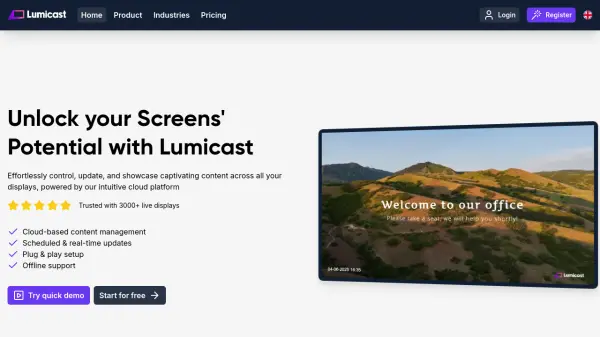
Lumicast is a cloud-based digital signage platform designed to streamline content management across multiple displays. It allows users to create, schedule, and broadcast professional content effortlessly, with features like real-time updates, offline support, and a user-friendly interface. The platform supports various devices and offers extensive planning options for tailored content delivery.
With Lumicast, users can organize content in folders similar to Google Drive, making it easy to manage and find materials. It is used across industries such as education, healthcare, offices, and retail to enhance communication and engagement through dynamic displays.
Features
- Cloud-based content management: Centralized control for updating and managing display content from anywhere
- Scheduled & real-time updates: Plan content in advance or make immediate changes to displays
- Plug & play setup: Easy connection of displays using pairing codes for quick deployment
- Offline support: Displays continue to function without an internet connection after initial setup
- Professional apps: Wide variety of apps to create and customize content for different needs
- Remote management: Manage displays and content settings from any location globally
- Google Drive-like interface: Organize content in folders for easy navigation and management
- Extensive planning options: Schedule content to show at specific times or dates for automated broadcasting
Use Cases
- Displaying up-to-date schedule information in schools and educational institutions
- Informing patients and reducing waiting times in healthcare facilities
- Sharing news and announcements in office environments
- Enhancing customer engagement in retail stores with dynamic content
- Creating structured broadcasts to replace unorganized bulletin boards
- Automating updates of agendas and schedules on digital displays
- Making waiting rooms more engaging with interactive content
- Managing multiple displays across different locations from a single platform
FAQs
-
How can I test Lumicast before subscribing?
You can test Lumicast as long as you need to without a trial period. The only restriction is that displays cannot be active 24/7 without a subscription. -
What payment methods does Lumicast accept?
Lumicast accepts all common credit cards, SEPA direct debit, Google Pay, and payment by invoice (manual bank transfer). -
Which devices are compatible with Lumicast?
Lumicast works with Windows, Mac, Linux, web browsers, and other devices like Tizen, WebOS, Amazon Fire TV, Android, and Raspberry Pi.
Related Queries
Helpful for people in the following professions
Lumicast Uptime Monitor
Average Uptime
0%
Average Response Time
0 ms