ReddRadar

What is FlowVella?
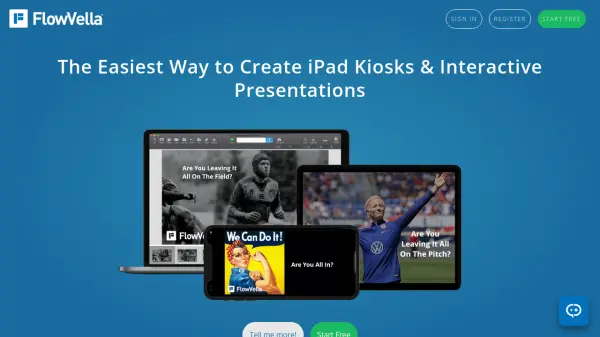
FlowVella enables users to create interactive presentations that combine various media elements into a seamless experience. The platform supports videos, images, PDFs, galleries, and links, allowing presenters to move beyond traditional linear slides. Presentations can be viewed on multiple devices including Mac, iPad, iPhone, and web browsers, with offline functionality available in native apps.
The tool offers specialized features like Kiosk Mode for secure public displays, analytics for tracking viewer engagement, and privacy controls including password protection. It serves various professional needs from sales enablement to museum exhibits, with templates and customization options to enhance visual appeal and effectiveness.
Features
- Kiosk Mode: Secure iPad presentations with PIN locking and timer reset for public displays
- Offline Functionality: Create and present without internet connection in native apps
- Multimedia Integration: Combine videos, images, PDFs, galleries, and links in presentations
- Cross-Platform Compatibility: Native apps for Mac, iPad, iPhone, and web browser viewing
- Analytics Tracking: Monitor who views presentations and engagement with specific pages
- Privacy Controls: Set presentations as public, private, or password protected
- Custom URLs: Share presentations with persistent custom web addresses
- Team Collaboration: Create and manage teams with private sharing capabilities
Use Cases
- Sales presentations with interactive product demonstrations
- Museum and exhibit kiosks with multimedia content
- Real estate listing presentations with property galleries
- Educational materials with embedded videos and PDFs
- Corporate training with interactive modules
- Trade show displays with secure kiosk mode
- Digital brochures with clickable content
- Portfolio presentations with multimedia elements
FAQs
-
Does FlowVella work without an internet connection?
Yes, FlowVella offers offline functionality in its native Mac, iPad, and iPhone apps, allowing users to create and present without an internet connection. -
What devices support FlowVella presentations?
FlowVella has native apps for Mac, iPad, and iPhone, and presentations can be viewed through any web browser via FlowVella Web. -
How does Kiosk Mode work in FlowVella?
Kiosk Mode provides secure iPad presentations with PIN locking and timer reset features, ideal for public displays at events, trade shows, museums, and retail spaces. -
Can I track who views my presentations?
Yes, FlowVella includes analytics that show who viewed presentations, which pages they accessed, and how long they spent on each section. -
What media types can I include in FlowVella presentations?
FlowVella supports integration of videos, images, PDFs, galleries, links, and GIFs to create interactive multimedia presentations.