What is Atomic Bot?
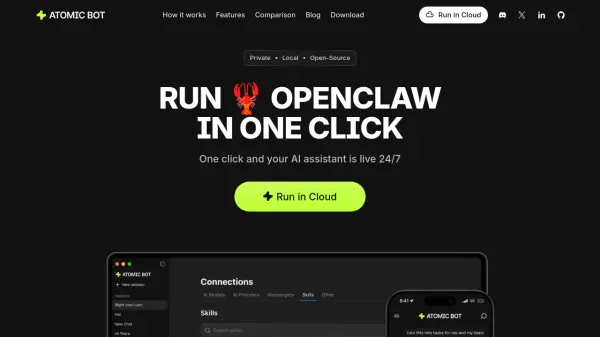
Atomic Bot transforms the powerful OpenClaw framework into an accessible personal AI assistant designed for everyday users. The platform eliminates the technical barriers typically associated with AI assistants by offering a simple one-click installation process and guided setup, making advanced automation capabilities available to users without terminal or coding experience. Users can run Atomic Bot either locally on their device or in an encrypted cloud environment, maintaining full control over their data and privacy preferences.
The assistant integrates with over 100 applications and offers 700+ personalized skills that can be customized to match individual workflows. From managing Gmail threads and scheduling calendar events to summarizing documents, organizing files, and automating browser tasks, Atomic Bot operates as a 24/7 coworker that learns user preferences over time through persistent memory. The platform supports multiple AI models including Claude, GPT, and Gemini, allowing users to switch between engines based on their specific needs while maintaining the same intuitive chat-based interface.
Features
- Simple Installer: Guided step-by-step setup that gets your assistant running in minutes without technical knowledge
- Persistent Memory: Remembers preferences, ongoing tasks, and important details to understand how you work over time
- Local Device Execution: Runs on your computer for maximum privacy and full control over your data
- Browser Control: Completes web tasks including opening websites, filling forms, clicking through flows, and collecting information
- Multiple AI Models: Switch between Claude, GPT, Gemini and other AI engines anytime to fit your workflow
- Schedule Tasks: Automates recurring tasks, sends proactive messages, and monitors what matters without manual intervention
- 700+ Skills Marketplace: Pre-installed core skills with access to extensive marketplace for workflow customization
- Dual Deployment Options: Run encrypted in the cloud or completely on-device based on privacy preferences
Use Cases
- Managing Gmail inbox by drafting replies, clearing threads, and sending follow-ups in your personal tone
- Automating calendar scheduling including meeting arrangements, event rescheduling, and reminder setup
- Summarizing long PDFs and documents into actionable takeaways and key points
- Monitoring competitors, trends, and mentions with automated daily digest reports
- Completing routine browser tasks like form filling, workflow clicking, and data submission
- Organizing downloads by finding, renaming, sorting files, and maintaining clean folders
- Managing travel logistics including check-ins, confirmation handling, and itinerary updates
- Building a searchable second brain by storing and retrieving organized information on demand
How It Works
Download & Install or Sign In with Google
Download the Atomic Bot application for your computer (macOS or Windows) and install it with one click, or sign in with Google to run it in the encrypted cloud environment.
Connect Skills & Services
Follow the guided setup to connect your daily tools and services (Gmail, Calendar, documents, etc.) and choose from 700+ skills to customize your assistant's capabilities.
Meet Your 24/7 Coworker
Start chatting with your AI assistant to delegate tasks, automate workflows, and let it handle routine activities while learning your preferences over time.
FAQs
-
What is Atomic Bot?
Atomic Bot is a user-friendly native app that brings OpenClaw (Clawdbot) capabilities to everyday users. Install it like a normal app, choose what you want it to do, and start using your personal assistant right away. -
Is Atomic Bot the same as OpenClaw/Clawdbot?
Atomic Bot delivers the full OpenClaw experience in a human-friendly interface. Same capabilities, simpler way to run and manage it. -
Do I need to use Terminal to set up Atomic Bot?
Terminal is available for advanced users, but it's optional. Most people can install and run Atomic Bot using the app interface. -
Does Atomic Bot run on my computer or in the cloud?
Both. You can run Atomic Bot on your own device, in the cloud, or use a hybrid setup depending on your workflow. -
Is Atomic Bot free?
Atomic Bot is free to use. There's also an optional paid plan for users who don't want to set up API keys manually.
Related Queries
Helpful for people in the following professions
Atomic Bot Uptime Monitor
Average Uptime
0%
Average Response Time
0 ms