ReddRadar

What is Approval Studio?
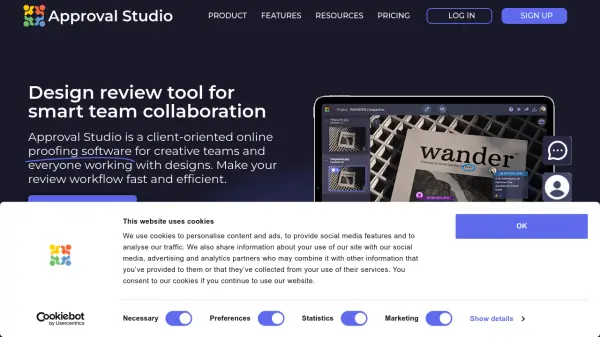
Approval Studio is an online proofing software designed specifically for creative teams and professionals working with design projects. This platform transforms traditional design review processes by providing a centralized workspace where teams can collaborate efficiently on design mockups, packaging designs, branding materials, and various creative assets.
The tool offers automated comparison modes that quickly identify differences between design iterations, eliminating the need for manual visual checks. It supports over 23 file formats including images, PDFs, Adobe files, and video content, making it versatile for diverse creative workflows. With features like annotations, external review invitations, project management capabilities, and integration options with popular tools like Adobe Creative Cloud, Shopify, and Slack, Approval Studio creates a streamlined environment for design approval processes.
Features
- Automated Compare Modes: Four unique comparison modes that automatically highlight differences between design iterations
- External Reviews: Unlimited invitation of external users and clients via short links without requiring registration
- Project Management: Task assignments, workflow automation, reporting, and project history tracking
- Annotation Tools: Five different annotation shapes for precise feedback on design mockups
- Integration Capabilities: Shopify, Adobe Creative Cloud, Slack, Zapier, and API integrations
Use Cases
- Streamlining packaging design approval processes
- Managing branding and marketing material reviews
- Collaborating on architectural design projects
- Reviewing graphic design projects with external clients
- Organizing medical and pharmaceutical design approvals
- Managing retail and manufacturing design workflows
- Streamlining online media content review processes
FAQs
-
What file formats does Approval Studio support?
Approval Studio supports over 23 file formats including .tiff, .jpeg, .gif, .bmp, .png, .ai, .pdf, .docx, .xls, .xlsx, .pptx, .ppt, .ppsx, .pps, .pot, .potx, .dotx, .dot, .rtf, .txt, .htm/.html, .odt, .ods, and .mp4 for video reviews. -
How does the comparison feature work?
The platform offers four automated compare modes (Side-by-Side, Fader, Difference, and Toggle) that automatically search for differences between design iterations in seconds, helping users verify if all edits were properly applied. -
Can I use Approval Studio on mobile devices?
Yes, Approval Studio offers a mobile-friendly interface and a dedicated mobile app that allows users to review design mockups, oversee projects, and interact with creative projects from anywhere. -
What integrations are available with Approval Studio?
The platform integrates with Shopify for print-on-demand orders, Adobe Creative Cloud for direct file uploads, Slack for notifications, Zapier for connecting with 5,000+ apps, and offers GraphQL and REST APIs for custom integrations. -
How does the free trial work?
Approval Studio offers 14-day free trials for most plans (1 month for Enterprise) with no credit card required. Users can test all features during the trial period without any commitments.