ReddRadar


What is Zortam Mp3 Media Studio?
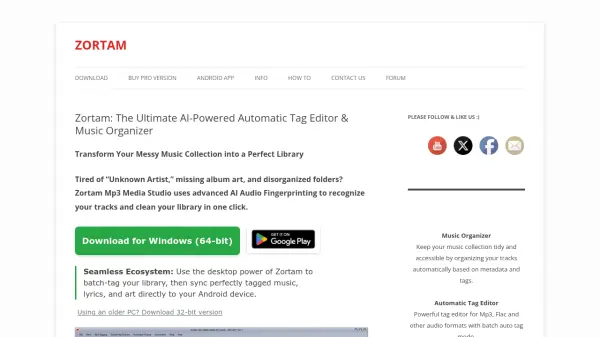
Zortam Mp3 Media Studio leverages advanced AI audio fingerprinting technology to automatically recognize and tag music files from a database of over 35 million tracks. It supports multiple audio formats including MP3, FLAC, WMA, M4A, and WAV, enabling users to batch-process their entire music library with a single click. The tool downloads high-resolution album art and embeds synchronized lyrics directly into file tags, ensuring a seamless experience across devices like iPhones, Android phones, and car displays.
Beyond tagging, Zortam offers comprehensive music management features such as volume normalization, BPM analysis, duplicate finding, and YouTube to MP3 conversion. It organizes files into clean folders on hard drives and syncs perfectly tagged music, lyrics, and art to Android devices, providing a complete ecosystem for desktop and mobile users. The software is optimized for Windows 11, 10, and older versions, with an Android app available for mobile library management.
Features
- Automatic AI Tagging: Uses audio fingerprinting to identify and tag music files from a database of over 35 million tracks
- High-Resolution Album Art Downloader: Automatically downloads high-quality covers for enhanced visual display on various devices
- Synchronized Lyrics Finder: Embeds timed lyrics directly into file tags for an immersive listening experience
- Volume Normalizer: Maintains consistent volume levels across MP3 files using industry-standard normalization
- BPM Analyzer: Calculates Beats Per Minute for each song, useful for DJs and playlist creation
- Duplicate Finder: Identifies and removes duplicate tracks through audio checksums or metadata analysis
- YouTube to MP3 Converter: Converts YouTube videos to high-quality MP3 files for offline listening
- Auto Rename: Renames files intelligently based on tag data, such as converting 'track01_unknown.mp3' to 'Artist - Song Title.mp3'
Use Cases
- Organizing a messy music collection with missing metadata and album art
- Batch-tagging large libraries of MP3, FLAC, WMA, M4A, or WAV files automatically
- Syncing perfectly tagged music, lyrics, and art between Windows desktop and Android mobile devices
- Creating DJ playlists by analyzing BPM and removing duplicate tracks
- Converting YouTube videos to MP3 files for offline listening and library building
- Normalizing volume levels across an entire music library for consistent playback
- Finding and embedding synchronized lyrics into music files for karaoke-style experiences
- Managing music files as an alternative to iTunes on Windows systems
FAQs
-
Does Zortam support Windows 11?
Yes, Zortam is fully optimized for Windows 11, 10, and older versions like 7, Vista, and XP. -
Can I fix my Android music library with Zortam?
Absolutely, the Android version brings the same powerful fingerprinting technology to mobile devices and supports SD cards. -
Which audio formats are supported by Zortam?
Zortam supports MP3, FLAC, WMA, M4A, and WAV formats. -
How many music tracks can Zortam recognize?
Zortam recognizes over 35 million music tracks from its professional database. -
Is Zortam available in languages other than English?
Yes, Zortam Mp3 Media Studio is translated into English, German, Italian, French, Spanish, and Portuguese.