ReddRadar


What is xdge?
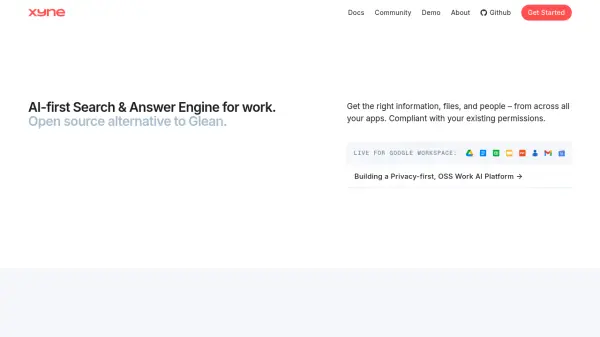
xdge provides an integrated AI platform designed to automate workplace processes by connecting various business applications. The system enables users to create automated workflows using natural language descriptions, allowing 24/7 agents to handle complex research tasks across tools like Slack, Gmail, Notion, and Jira. This automation capability helps teams maintain updated systems, track processes, and generate reports without manual intervention.
The platform includes enterprise search functionality with a conversational interface that works across an organization's entire knowledge base. Additional features include meeting transcription with AI-generated summaries, browser-based AI assistance for web content, and verified collections of resources for reliable information sharing. With deep API integrations and security certifications, xdge offers a comprehensive solution for organizations seeking to enhance productivity through intelligent automation.
Features
- 24/7 Workflows: Automate complex research tasks by describing them in natural language with agents working continuously
- Search & Assist: AI-powered advanced search engine and answer bot that works across all workplace applications
- Meetings: Meeting transcriptions with AI-powered notes and executive summaries
- Browser AI: Generalized query capability on workplace data through browser extension
- Collections: Human-verified collections of links, files and documents to aid search and assistance
- Slack Copilot: Slack automation bot for publishing and searching knowledge without leaving Slack
- Connectors: Deep API integrations for advanced native search and crawling capabilities
- Go Links: Short, memorable and shared links management for organizational resources
Use Cases
- Automating CRM updates by pulling deal signals from emails, Slack, and calls
- Tracking employee onboarding across HR, IT, and workspace tools
- Generating release notes from commits, changelogs, and sprint tickets
- Monitoring customer sentiment across Slack, support chats, and feedback forms
- Creating executive briefs by pulling updates and KPIs from multiple tools
- Managing email inboxes with automatic labeling, prioritization, and archiving
- Preparing audit documentation by collecting evidence from various systems
- Analyzing customer feedback from multiple channels to identify common themes
Related Queries
Helpful for people in the following professions
xdge Uptime Monitor
Average Uptime
0%
Average Response Time
0 ms