
What is Voice Notebook?
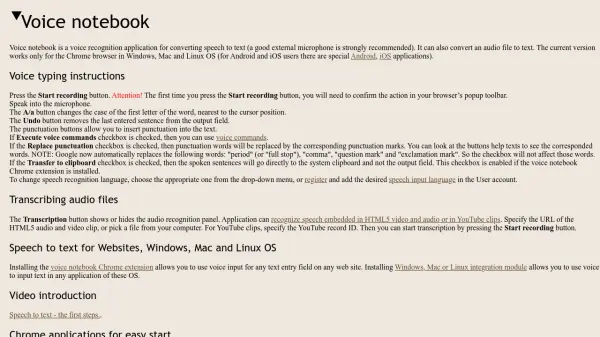
Voice Notebook is a voice recognition application designed for converting speech to text, with support for real-time transcription and audio file processing. It operates primarily through the Chrome browser on Windows, Mac, and Linux, while dedicated applications are available for Android and iOS users. The tool integrates with various platforms, including websites via a Chrome extension and desktop applications through OS integration modules.
The application offers features such as voice command execution, punctuation replacement, and clipboard transfer for seamless text input. It supports a wide range of languages and includes customizable settings for sound levels, confidence thresholds, and speech pause detection to enhance accuracy and user experience.
Features
- Real-time Speech Recognition: Converts spoken words to text instantly with microphone input
- Audio File Transcription: Processes audio files, HTML5 media, and YouTube clips for text conversion
- Multi-language Support: Offers speech recognition in over 40 languages including English, Spanish, and Chinese
- Platform Integration: Works with Chrome browser, websites via extension, and desktop applications on Windows, Mac, and Linux
- Voice Commands: Allows execution of commands for text editing and punctuation insertion when enabled
Use Cases
- Transcribing meetings or interviews in real-time
- Converting audio lectures or podcasts to text for study purposes
- Creating subtitles for videos by transcribing audio content
- Dictating documents or emails hands-free for productivity
- Assisting individuals with disabilities in text input through voice
FAQs
-
What browsers and operating systems does Voice Notebook support?
Voice Notebook works with the Chrome browser on Windows, Mac, and Linux operating systems. For mobile users, there are dedicated Android and iOS applications available. -
How do I start using Voice Notebook for speech to text?
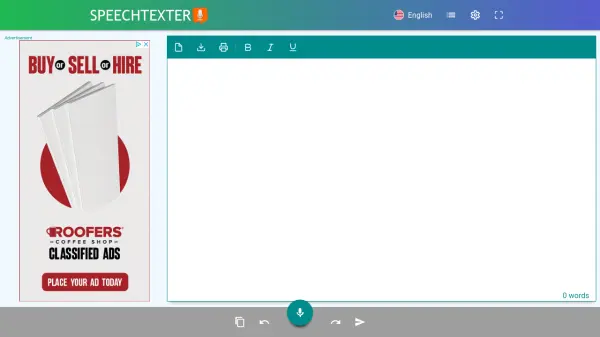
To begin, press the Start recording button. The first time you do this, you will need to confirm the action in your browser's popup toolbar. Then, speak into your microphone to convert speech to text. -
Can Voice Notebook transcribe audio files?
Yes, Voice Notebook can transcribe audio files. You can specify a URL for HTML5 audio/video, upload a file from your computer, or use a YouTube record ID to start transcription by pressing the Start recording button. -
What languages does Voice Notebook support for speech recognition?
Voice Notebook supports over 40 languages, including English (US and GB), Spanish, French, German, Chinese (Mandarin), Japanese, and many others. You can select the language from a drop-down menu or add more in the user account after registration. -
How can I use voice commands with Voice Notebook?
Voice commands can be used by checking the 'Execute voice commands' checkbox. This allows you to control text input and editing through spoken instructions, enhancing productivity and hands-free operation.
Related Queries
Helpful for people in the following professions
Voice Notebook Uptime Monitor
Average Uptime
0%
Average Response Time
0 ms