ReddRadar

What is Trusted Signatures?
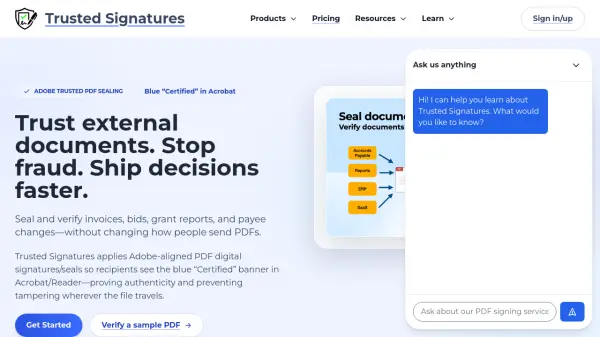
Trusted Signatures is a digital document security solution that applies Adobe-aligned PDF digital signatures and seals to ensure document authenticity and integrity. The platform enables organizations to seal and verify critical documents such as invoices, bids, grant reports, and payee changes without altering existing workflows. When recipients open these PDFs in Acrobat or Reader, they see the distinctive blue "Certified" banner, which serves as cryptographic proof of origin and prevents tampering wherever the file travels.
The solution works alongside existing e-signature tools and automatically seals documents as they're generated, requiring no extra steps for staff or customers. Based on globally recognized standards including AATL and eIDAS, Trusted Signatures helps organizations prevent fraud, prove compliance, and build trust with cryptographic seals that break if anyone attempts to alter the file content.
Features
- Adobe-Aligned Sealing: Applies digital signatures that display blue "Certified" banner in Acrobat/Reader
- Tamper-Proof Security: Cryptographic seals break if document content is altered
- Automatic Integration: Works alongside existing e-signature tools without workflow changes
- Global Compliance: Based on AATL and eIDAS standards for regulatory approval
- Public Verification: Recipients can verify document authenticity directly in Acrobat/Reader
Use Cases
- Sealing and verifying invoices and payment instructions
- Securing loan agreements and wealth management contracts
- Protecting patient consent forms and healthcare records
- Authenticating real estate purchase agreements and deeds
- Validating government permits and compliance reports
FAQs
-
How does the blue "Certified" banner work in Acrobat?
The blue "Certified" banner appears in Adobe Acrobat and Reader when a PDF has been sealed with Trusted Signatures, providing cryptographic proof of document origin and integrity. -
Can Trusted Signatures work with existing e-signature tools?
Yes, Trusted Signatures works alongside existing e-signature tools and automatically seals documents as they're generated without requiring workflow changes. -
What happens if someone tries to alter a sealed PDF?
If anyone attempts to alter a PDF sealed with Trusted Signatures, the cryptographic seal breaks, alerting recipients that the document has been tampered with. -
Which compliance standards does Trusted Signatures support?
Trusted Signatures is based on globally recognized standards including AATL (Adobe Approved Trust List) and eIDAS for regulatory compliance. -
How can recipients verify document authenticity?
Recipients can verify document authenticity directly in Adobe Acrobat or Reader by checking for the blue "Certified" banner that appears on sealed PDFs.
Related Queries
Helpful for people in the following professions
Trusted Signatures Uptime Monitor
Average Uptime
0%
Average Response Time
0 ms