What is TextWitch?
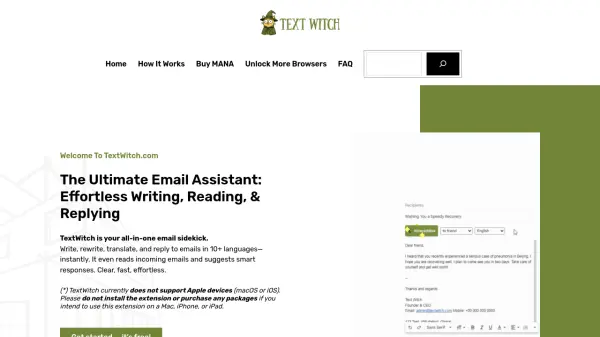
TextWitch is an AI-powered email assistant designed to streamline email communication by transforming rough drafts into polished, professional messages. It integrates seamlessly with Gmail, allowing users to write, rewrite, translate, and reply to emails in over 10 languages with a single click. The tool analyzes incoming emails to provide context-aware reply suggestions, saving time and enhancing communication efficiency.
Operating on a pay-as-you-go model using MANA credits, TextWitch offers 5 free MANA upon account registration. It is currently available as a Chrome extension for Windows desktop, with plans to expand compatibility in the future. The assistant tailors email tone and style based on recipient type, such as friends, colleagues, or managers, ensuring appropriate communication in various scenarios.
Features
- Email Transformation: Instantly rewrites rough drafts into professional emails with tailored tone and style
- Multilingual Support: Translates emails into 10+ languages including English, Chinese, French, Japanese, Korean, Hindi, and Arabic
- Smart Reply Suggestions: Analyzes incoming emails to provide context-aware response ideas
- Gmail Integration: Seamlessly injects into Gmail interface for effortless writing and reading
- Recipient Customization: Allows selection of recipient type (e.g., friend, colleague, manager) for appropriate communication
Use Cases
- Transforming informal email drafts into professional business correspondence
- Translating emails for international communication with clients or colleagues
- Generating quick, context-aware replies to incoming emails to save time
- Improving email tone and clarity for various recipient types like managers or strangers
- Assisting non-native English speakers in writing polished emails in multiple languages
FAQs
-
What platforms does TextWitch support?
TextWitch is currently available only as a Chrome extension for Windows desktop. It does not support Apple devices (macOS or iOS), Safari, or mobile apps, with plans to expand compatibility in future updates. -
How can I get more MANA credits?
You can get more MANA by registering for a free account (5 free MANA), referring friends (5 MANA per verified referral, up to 25 MANA monthly), or purchasing MANA packages directly from the website. -
Is TextWitch safe to use with email security?
Yes, TextWitch is completely safe as it only processes email content without interfering with personal information. It uses lightweight, clean code that does not affect computer or browser performance. -
Can I use TextWitch on multiple devices simultaneously?
By default, each account works on one device/browser at a time. You can purchase an Unlock Browser package to use it on multiple devices or share it with family or teams. -
What is the refund policy for TextWitch?
TextWitch does not offer refunds after payment, except in cases where the service cannot be provided as promised due to technical issues. Users are advised to read product descriptions carefully before purchasing.
Related Queries
Helpful for people in the following professions
TextWitch Uptime Monitor
Average Uptime
0%
Average Response Time
0 ms