What is PixelFrame?
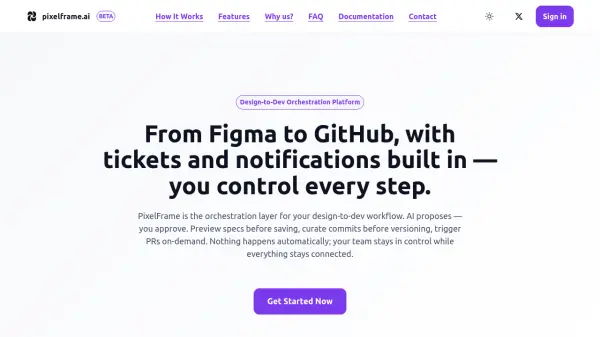
PixelFrame serves as an orchestration layer for design-to-development workflows, connecting tools like Figma, GitHub, Jira, Linear, and Slack. It provides Git-like version control for Figma designs with baseline snapshots, commit history, property-level change tracking, and rollback capabilities. The platform detects added, modified, and removed screens with property-level diffs for modifications and full component detection for new screens.
AI generates preview specs derived from actual design diffs, which can be edited before saving or exporting to Jira, Linear, GitHub Issues, or Markdown. When ready, users can trigger on-demand pull requests where AI scaffolds entire components for new screens or makes targeted changes for modified ones. Real-time Slack notifications keep teams synchronized with configurable event routing. All actions require explicit user approval, ensuring control over commits, specs, exports, and PR generation.
Features
- Design Version Control: Git-like versioning for Figma designs with baseline snapshots, commit history, property-level change tracking, and rollback capability
- Property-Level Diff Engine: Detects exact changes like colors, spacing, and text with causal analysis and design token resolution
- Figma-First Specs: AI generates preview specs derived from actual design diffs with editable content before saving or exporting
- On-Demand Pull Requests: Click-to-generate PRs with AI code generation that scaffolds components or makes targeted changes
- Slack Notifications: Real-time alerts for PR creation, spec saving, and design version commits with configurable channel routing
- Visual Diff Heatmaps: Automatic before/after image comparison with heatmaps highlighting changed regions and bounding box overlays
- Design Token Resolution: Resolves Figma variable IDs to actual token names and values while tracking design system compliance
- Multi-Platform Support: Generates production-ready UI scaffolding for Android, iOS, React, React Native, Flutter, and Vue
Use Cases
- Automating design-to-development workflow synchronization
- Maintaining version control and change history for Figma designs
- Generating detailed specifications from design changes
- Creating pull requests with AI-generated code for UI components
- Coordinating team notifications across design and development events
- Exporting design specifications to project management tools
- Tracking design system compliance through token resolution
- Reviewing visual changes with heatmap comparisons
FAQs
-
What programming languages does PixelFrame support for code generation?
PixelFrame supports UI scaffolding for Android with Kotlin/Java and Jetpack Compose, iOS with Swift/SwiftUI, React with Next.js/Remix/React Router, React Native with Expo Router/React Navigation, Flutter with Dart and routing, and Vue with Vue 3 and Vue Router. -
How does PixelFrame ensure data privacy and code security?
PixelFrame uses embeddings for semantic search instead of storing source code, fetches code directly from GitHub during generation, implements repository isolation, sanitizes secrets before indexing, excludes private key files, and uses OAuth authentication for integrations. -
Can PixelFrame be used incrementally with different tools?
Yes, users can start with just Figma for version control and change detection, then add Jira/Linear for ticket export, GitHub for PR generation, and Slack for notifications as needed. -
What types of Slack notifications does PixelFrame provide?
PixelFrame sends real-time notifications for PR creation/failure, spec creation, design version commits, and project imports, with configurable routing to different channels. -
How does the AI code generation process work with existing codebases?
PixelFrame indexes up to 200 repository files using semantic search, finds relevant files for the spec, uses Claude to understand code patterns, and generates either scaffolded components for new screens or targeted changes for modified screens.
Related Queries
Helpful for people in the following professions
PixelFrame Uptime Monitor
Average Uptime
0%
Average Response Time
0 ms