What is PDF2Word?
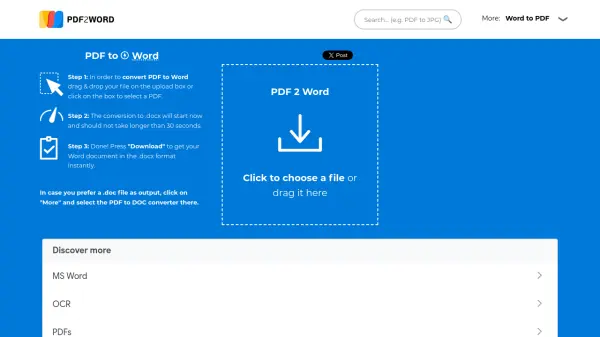
PDF2Word is a modern, high-performance online converter that transforms PDF files into fully editable Word documents in the .docx format, maintaining the original PDF layout without converting pages to images. It handles large PDFs with hundreds of pages and has no upload or file size limitations, making it suitable for extensive documents. The tool is completely free to use, with no hidden costs or sign-up requirements, ensuring accessibility for all users.
For scanned PDFs, PDF2Word employs sophisticated optical character recognition (OCR) algorithms to extract text automatically, enabling editing of non-editable content. The service processes files on remote servers with a focus on privacy, removing data shortly after conversion. Users can convert PDFs to .doc format via a separate converter option, and the tool integrates with common word processors like MS Word and LibreOffice for seamless editing.
Features
- Free Conversion: No charges, hidden costs, or sign-up required for unlimited use
- OCR Technology: Automatically extracts text from scanned PDFs using advanced algorithms
- Large File Support: Handles PDFs with hundreds of pages and no file size limitations
- Layout Preservation: Maintains original PDF layout in editable Word documents without converting to images
- Privacy Focus: Removes user data from servers shortly after conversion and does not share it
Use Cases
- Converting resumes or CVs from PDF to Word for easy editing and updates
- Editing articles, forms, or price lists that were originally shared as PDF files
- Processing scanned documents with text extraction for digital archiving or modification
- Handling large PDF reports or manuals to make them editable in word processors
- Preparing documents for professional use by converting back to PDF after editing
FAQs
-
How long does the conversion process take?
The conversion to .docx typically takes no longer than 30 seconds. -
What output formats are supported?
By default, it converts to .docx, but users can select a converter for .doc format via the site navigation. -
Is there a file size limit for PDFs?
No, there are no upload or file size limitations; it handles large PDFs with hundreds of pages. -
How is user privacy protected during conversion?
Files are processed on remote servers and removed shortly after conversion, with no sharing or viewing of data. -
Does it work with scanned PDFs?
Yes, it uses optical character recognition (OCR) algorithms to extract text from scanned PDFs automatically.
Related Queries
Helpful for people in the following professions
PDF2Word Uptime Monitor
Average Uptime
0%
Average Response Time
0 ms