What is mp3totext.net?
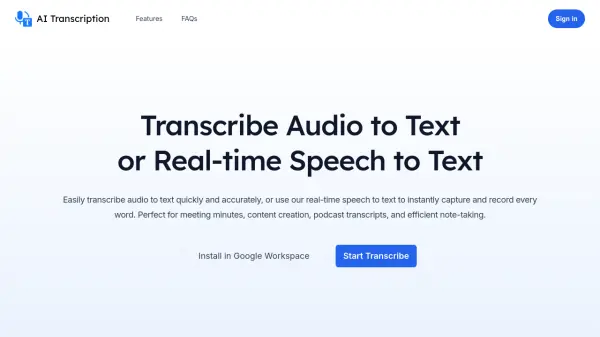
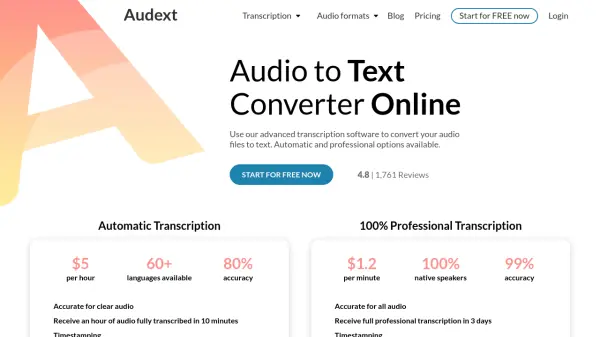
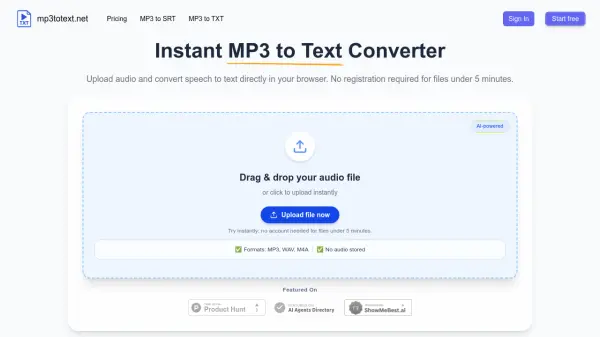
mp3totext.net provides an efficient solution for converting audio files to text transcripts using advanced AI speech recognition technology. The platform operates entirely within modern web browsers, eliminating the need for software downloads or complex installations. Users can upload various audio formats including MP3, WAV, and M4A files through a simple drag-and-drop interface or direct file selection.
The AI-powered transcription engine delivers accurate text conversion with automatic punctuation and paragraph formatting for enhanced readability. After processing, users can review and edit transcripts directly in the built-in editor before exporting as TXT files or SRT subtitle files. The service maintains user privacy by not storing audio files after processing, ensuring data security throughout the conversion workflow.
Features
- AI-Powered Transcription: Uses modern AI models for accurate speech-to-text conversion with human-level accuracy for clear audio
- Browser-Based Processing: Runs entirely in modern web browsers without requiring software downloads or installations
- Multiple Format Support: Handles MP3, WAV, M4A, and AAC audio formats through the same conversion pipeline
- Automatic Formatting: Adds punctuation and breaks long audio into readable paragraphs automatically
- Privacy Protection: Does not store audio files after processing to ensure user data security
- Built-in Editor: Provides editing capabilities to fix transcription errors before export
- Export Options: Allows export as TXT files for text or SRT files for subtitles
Use Cases
- Converting interview recordings to searchable text transcripts for journalists
- Transcribing podcast episodes for show notes, blog posts, and caption creation
- Creating lecture transcripts for students and educators from recorded classes
- Processing research interviews and focus group recordings for analysis
- Generating subtitles for video content from audio files
- Converting meeting recordings to text for documentation purposes
- Transcribing audio notes to text for content creation workflows
FAQs
-
How do I convert MP3 to TXT?
Upload your MP3 file to the platform, wait for AI transcription to complete, then export the result as a TXT file. -
How do I convert MP3 to SRT?
Upload your MP3 file, let the AI transcribe it, then use the export option to download the transcript as an SRT subtitle file. -
Is mp3 to text really free?
Yes, the service offers free transcription for files up to 5 minutes without requiring an account. -
What formats does mp3 to text support?
The tool supports MP3, WAV, M4A, and AAC audio formats for conversion to text. -
How accurate is mp3 to text?
The AI-powered engine provides close to human-level accuracy for clear audio with minimal background noise, especially for English and major languages.
Related Queries
Helpful for people in the following professions
mp3totext.net Uptime Monitor
Average Uptime
0%
Average Response Time
0 ms