ReddRadar

What is Mini Diary?
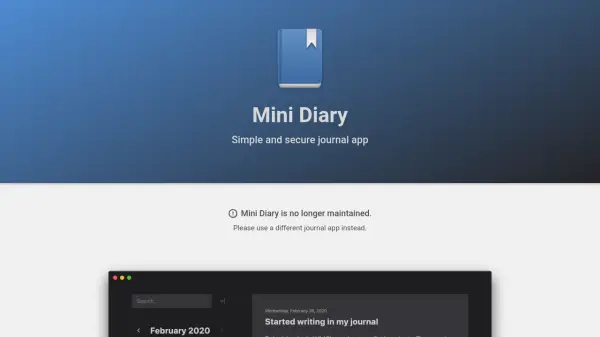
Mini Diary provides a minimalist journaling experience with a clean interface designed to help users focus on writing without distractions. The app stores all data locally on the user's device and encrypts it with a password, ensuring privacy and security by keeping control in the user's hands.
It supports features like light and dark themes, basic text formatting, full-text search, and localization in multiple languages. Users can import journals from other apps or export data to formats such as PDF and Markdown. While the app is no longer maintained, it remains available for download and use with existing data management options.
Features
- Encryption: Password-based local encryption for secure diary storage
- Import/Export: Supports importing from various apps and exporting to formats like PDF and Markdown
- Themes: Offers light and dark themes for customizable appearance
- Full-text Search: Allows quick searching through journal entries
- Localization: Available in multiple languages for broader accessibility
Use Cases
- Personal journaling for self-reflection and memory keeping
- Secure note-taking for private thoughts and ideas
- Data migration from other journal apps to a local, encrypted format
- Exporting journal content for printing or sharing in PDF or Markdown
FAQs
-
Where can I download Mini Diary?
Mini Diary is no longer supported, but it can be downloaded from the provided links or GitHub for data export purposes. -
How can I change my password?
Unlock your diary and select Mini Diary → Preferences in the menu bar to edit your password. -
I forgot my password. How can I reset it?
Resetting the password is not possible due to local encryption; it's important to write down your password when creating the diary. -
How can I change where my diary is stored?
Unlock your diary and select Mini Diary → Preferences to change the diary file location, though this option is not available in the Mac App Store version. -
How can I sync my diary with the cloud?
Move the encrypted diary file to a cloud folder like Dropbox or Google Drive to make it accessible on other devices with the same setup.