ReddRadar
What is MicTest.work?
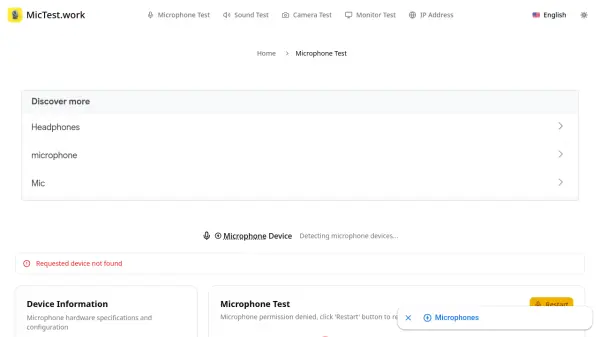
MicTest.work is a comprehensive online microphone testing platform designed to help users verify their microphone functionality, quality, and configuration. Built with modern web technologies, this tool provides professional-grade microphone analysis without requiring any software downloads or installations. Whether you're a content creator, remote worker, gamer, or audio professional, the platform delivers the insights needed to ensure optimal microphone performance.
The platform runs entirely in your web browser using cutting-edge WebRTC and Web Audio API technologies, offering real-time audio visualization, volume monitoring, and quality assessment. It provides detailed technical specifications including sample rates, latency measurements, and audio processing capabilities, supporting any microphone type on any device across all major operating systems and browsers. All audio processing happens locally in your browser, ensuring privacy as no audio recordings are stored on servers or transmitted over the internet.
Features
- Real-time Audio Visualization: See audio input with spectrum and waveform displays to identify issues instantly
- Multi-Device Support: Test any microphone type including built-in, USB, wireless, and professional microphones
- Detailed Device Information: Access technical details like sample rate, latency, and noise suppression capabilities
- Recording Test Mode: Record audio samples for analysis with statistics on volume and quality distribution
- Privacy-First Design: All audio processing happens locally in the browser with no data storage or transmission
- Cross-Platform Compatibility: Works on Windows, Mac, iOS, Android, Chrome OS, and Linux with modern browsers
Use Cases
- Testing new microphone purchases before first use
- Verifying headset microphone functionality for gaming
- Checking built-in laptop microphone quality for video calls
- Comparing multiple microphones to choose the best one
- Troubleshooting audio issues before important meetings
- Ensuring optimal setup for content creation and streaming
- Verifying microphone after system updates or driver changes
- Testing wireless microphone connection stability
- Checking microphone settings after changing audio software
- Validating audio quality for online education and teaching
FAQs
-
Is it safe to test my microphone online?
Yes, absolutely! Our microphone test runs entirely in your browser using secure web technologies. We never store your audio recordings or access your personal files. All testing happens locally on your device. -
What types of microphones can I test?
You can test any microphone connected to your device including: Built-in laptop and desktop microphones, USB microphones and headsets, Wireless Bluetooth headsets, Gaming headsets with microphones, Professional XLR microphones (with audio interface), Smartphone and tablet built-in mics, and Webcam microphones. -
How does the recording test work?
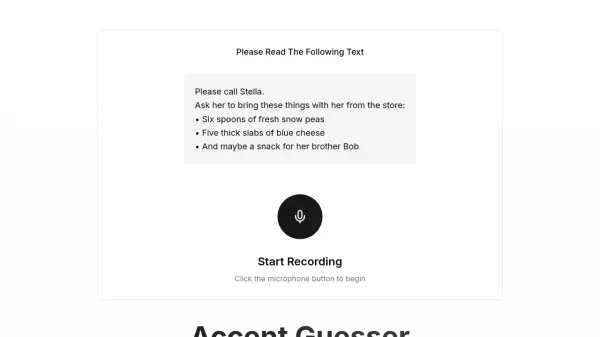
The recording test allows you to capture audio samples for detailed analysis. Click 'Start Recording' to begin capturing audio, speak into your microphone, then click 'Stop Recording' to analyze the results. You'll get statistics on volume levels, quality distribution, and can playback the recording. -
Why isn't my microphone working?
Common issues include: Microphone permissions not granted to the browser, Another application is using the microphone, Microphone is muted in system settings, Hardware connection issues, or Outdated browser version. Try refreshing the page, checking your browser settings, and ensuring no other apps are using your microphone. -
Can I test multiple microphones?
Yes! If you have multiple microphones connected, you can select which one to test from the dropdown menu. Test each microphone individually for the most accurate results and compare their performance.