

What is MailerSend?
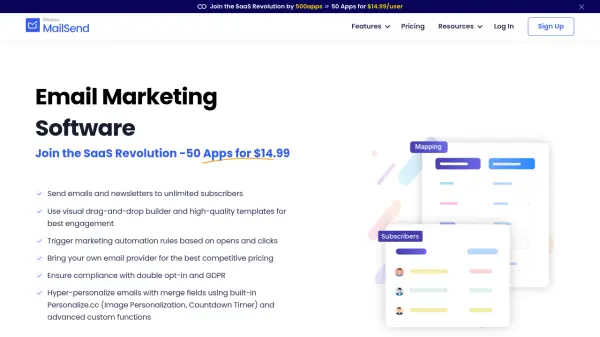
MailerSend is a comprehensive transactional email platform designed to streamline email sending for businesses. It offers a powerful Email API and SMTP relay that integrates seamlessly into any tech stack, supported by extensive documentation and SDKs for popular programming languages. Users benefit from high deliverability rates, 24/7 technical support, and a 99.5% guaranteed uptime SLA.
With features like drag-and-drop and HTML template builders, inbound email routing, email verification, and DMARC monitoring, MailerSend enables teams to create, send, and manage transactional emails efficiently. It supports multiple domains, user roles, and permissions, making it suitable for agencies, SaaS companies, e-commerce platforms, and developers who need reliable email delivery at scale.
With features like drag-and-drop and HTML template builders, inbound email routing, email verification, and DMARC monitoring, MailerSend enables teams to create, send, and manage transactional emails efficiently. It supports multiple domains, user roles, and permissions, making it suitable for agencies, SaaS companies, e-commerce platforms, and developers who need reliable email delivery at scale.
Features
- Email API: A robust REST API for programmatically sending transactional emails.
- SMTP Relay: Plug-and-play SMTP service to quickly start sending emails from any application.
- Drag & Drop Builder: Visual editor to create email templates without coding.
- Inbound Routing: Receive and process incoming emails within your application.
- Email Verification: Validate email addresses in bulk or real-time to improve deliverability.
- DMARC Monitoring: Track and improve email authentication and domain reputation.
- Template Builders: HTML editor, rich-text editor, and split testing for email optimization.
- Multiple Domains: Manage different brands or products from a single account.
- User Roles & Permissions: Assign roles and custom permissions for team collaboration.
- SDK Libraries: Ready-to-use SDKs for Node.js, PHP, Python, Ruby, Go, Java, and Laravel.
Use Cases
- Send transactional emails like order confirmations, password resets, and shipping updates.
- Deliver timely notifications such as alerts, reminders, and system messages.
- Personalize email campaigns for user onboarding, engagement, and retention.
- Process inbound emails to automate customer support or data entry workflows.
- Send bulk emails for newsletters, announcements, or marketing communications.
- Verify email lists to reduce bounce rates and improve sender reputation.
- Monitor email deliverability and authentication with DMARC analytics.
FAQs
-
Is there a trial period?
Yes, the Trial plan lets you send up to 100 emails/month to 2 recipients with a free trial domain. You can upgrade to a Free plan for 500 emails/month or higher plans for more volume. -
How does the Free plan work?
The Free plan grants 500 emails per month at no cost. You need to enter your organization's address and credit card details to prevent abuse; you won't be charged. The email count resets every 30 days. -
What if I exceed my plan's email quota?
You can continue sending emails without disruption; extra emails are charged at a low per-1000 rate (e.g., $0.90/1,000 emails on Pro plans). The count resets every 30 days. -
Can I use MailerSend with multiple users?
Yes. Hobby and Starter plans include up to 5 users, while Professional and Enterprise offer unlimited user seats. You can assign roles and custom permissions. -
Do you offer discounts for nonprofits?
Yes, nonprofits receive a 30% discount on paid plans. Contact customer support with documentation to request the discount. It cannot be combined with yearly pricing.