ReddRadar


What is Kyugo?
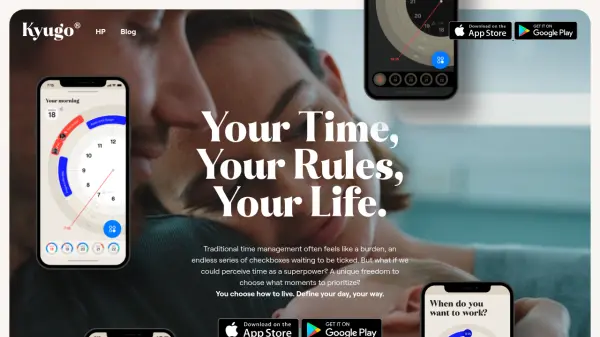
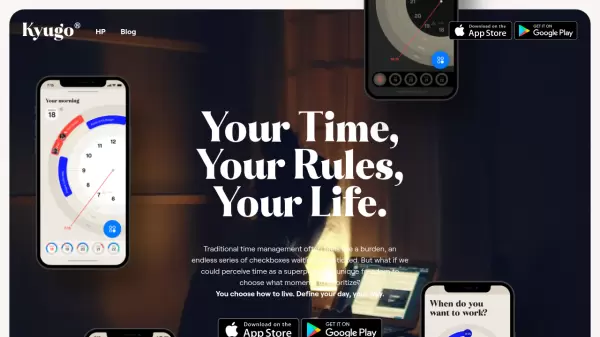
Kyugo revolutionizes calendar management by introducing a circular, visual approach to daily planning. Breaking away from traditional spreadsheet-like interfaces, it transforms time management into an intuitive experience where users can easily visualize their day, adjust schedules, and maintain work-life balance.
The app seamlessly integrates with Google Calendar while offering innovative features like thumb-friendly navigation, instant schedule visualization, and intelligent event rescheduling. Its unique circular design provides an immediate overview of daily commitments, making time management more natural and less burdensome.
Features
- Circular Calendar Interface: Visual representation of daily schedule in a clock-like format
- Google Calendar Integration: Seamless synchronization with existing Google Calendar
- One-Tap Controls: Quick event management and rescheduling with single interactions
- Automatic Rescheduling: Smart algorithm finds alternative time slots for events
- Time Tracking: Monitor meeting and work hours with remaining time indicators
- Public Calendar Sharing: Real-time calendar sharing based on availability
- Mobile Optimization: Thumb-friendly design with bottom-placed controls
- Left-Hand Mode: Adjustable interface for left-handed users
Use Cases
- Professional calendar management
- Work-life balance planning
- Meeting scheduling and coordination
- Time blocking for productivity
- Team availability sharing
- Personal schedule organization
- Remote work scheduling
FAQs
-
How does Kyugo integrate with Google Calendar?
Kyugo runs on your existing Google Calendar, requiring no new calendar creation. Simply connect your Google Account to get started. -
Can I use Kyugo with my left hand?
Yes, Kyugo offers a left-handed mode where you can switch controls to use the app easily with your left hand. -
What happens when I need to reschedule an event?
Kyugo automatically finds another suitable time in your calendar with one tap, making rescheduling effortless.
Related Queries
Helpful for people in the following professions
Kyugo Uptime Monitor
Average Uptime
0%
Average Response Time
0 ms