ReddRadar

What is JPG to Excel?
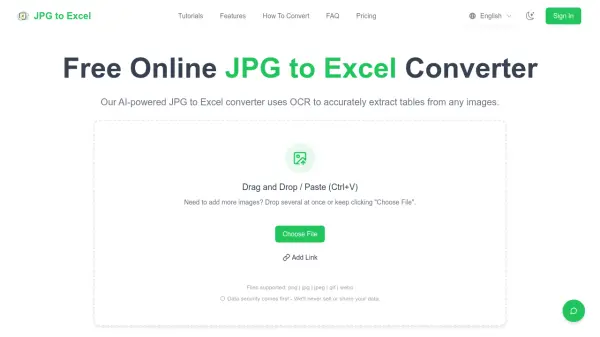
This online converter utilizes advanced AI-powered optical character recognition (OCR) technology to extract table data from various image formats including JPG, PNG, JPEG, TIFF, BMP, and WEBP. The tool processes images directly in the browser without requiring software installation, offering both free and paid conversion options with enterprise-grade security measures that automatically delete files after processing.
The converter supports complex table structures with merged cells, multi-level headers, and irregular layouts while maintaining data integrity and formatting. It features batch processing capabilities for handling multiple images simultaneously, smart column header detection, and multi-language text recognition for enhanced versatility in data extraction tasks.
Features
- AI-Powered OCR Technology: Advanced optical character recognition to accurately extract text and table data from any JPG or PNG image with 99%+ accuracy
- Multiple Format Support: Convert JPG, PNG, JPEG, TIFF, BMP, and WEBP formats to Excel with universal compatibility
- Batch Processing: Process multiple JPG files simultaneously to convert dozens of images to Excel spreadsheets in one go
- Complex Table Structure Support: Handle complex table layouts including merged cells, multi-level headers, and irregular structures without losing data integrity
- Smart Column Header Detection: Automatically identifies and extracts column headers from any table format for proper data organization
- Multi-Language Text Recognition: Support for text recognition in multiple languages including English, Chinese, Spanish, and French
- Free Online Conversion: Completely free JPG to Excel conversion with no software installation or registration required
- Secure Data Processing: Enterprise-grade security with encrypted connections and automatic file deletion after conversion
Use Cases
- Converting financial report data from PPT screenshots into structured Excel tables
- Processing invoice images for accounting and bookkeeping purposes
- Extracting table data from research papers and academic documents
- Digitizing old inventory sheets and business records from image files
- Converting competitor pricing tables from marketing materials to analyzable data
- Processing survey images and research data for project management
- Transforming complex image tables from various sources into editable spreadsheets
FAQs
-
How accurate is the JPG to Excel conversion?
The AI-powered converter achieves 99%+ accuracy in table recognition and data extraction from JPG images, handling complex table layouts, merged cells, and various formatting styles with exceptional precision. -
What image formats can I convert to Excel?
The online converter supports JPG, PNG, JPEG, TIFF, BMP, and WEBP formats, allowing conversion of any image containing table data to Excel spreadsheets regardless of the original image format. -
Is the JPG to Excel converter really free?
Yes, the converter is completely free with no hidden costs, allowing unlimited image conversions without registration, subscription, or payment, though premium features are available for advanced users. -
Can I convert multiple JPG files to Excel at once?
Yes, the batch processing feature allows uploading and converting multiple JPG images to Excel simultaneously, saving significant time when processing large volumes of image files. -
How secure is the JPG to Excel conversion process?
All JPG images and Excel files are processed securely using encrypted connections, with files automatically deleted from servers immediately after conversion to ensure complete privacy.