ReddRadar

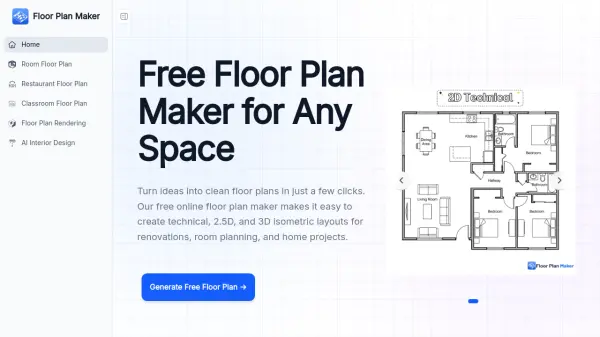
What is Floor Plan Maker?
Floor Plan Maker is a free, AI-driven floor plan generator that allows homeowners, real estate professionals, and design enthusiasts to create detailed room layouts without any prior design experience. Users can customize room types, including bedrooms, bathrooms, kitchens, dining areas, and living rooms; adjust gross area dimensions in either metric or imperial units, and select from three distinct visual styles: Technical, 2.5D, and 3D Isometric. The AI processes these preferences and delivers polished floor plan layouts in seconds, eliminating the need for complicated software or manual drafting.
The platform is built for a wide range of practical planning needs, from pre-renovation layout testing and small-space optimization to client presentations and property listings. Floor Plan Maker requires no account registration and produces watermark-free exports for personal use, making it accessible to anyone who wants to explore spatial ideas, compare room arrangements, or communicate design concepts clearly. It serves as a fast, visual, and beginner-friendly alternative to traditional floor planning tools.
Features
- Flexible Room Setup: Customize bedrooms, bathrooms, kitchens, dining areas, and living rooms to match any home layout or planning need.
- Multiple Floor Plan Styles: Generate Technical, 2.5D, or 3D Isometric floor plans for different projects and presentations.
- Adjustable Space Size: Set gross area and fine-tune dimensions using metric or imperial units to match real-world spaces.
- Fast AI Generation: Create complete floor plans in seconds without manual drawing or complicated software.
- No Sign-Up Required: Use the tool instantly online without creating an account.
- Watermark-Free Exports: Download and share floor plans for personal use without any watermarks.
- Beginner-Friendly Interface: Designed for homeowners, creators, and professionals with no design skills required.
Use Cases
- Planning home renovations by testing different room layouts before construction begins
- Optimizing small apartments and studio spaces for maximum functionality
- Creating professional client presentations for real estate and property consulting
- Visualizing interior layout ideas before moving furniture or starting a redesign
- Generating polished floor plans for property listings and home staging
- Exploring multiple room arrangement options for family homes
- Quickly producing layout drafts for early-stage design discussions
How It Works
Set Your Room Preferences
Choose the number of bedrooms, bathrooms, kitchens, living areas, and total space size based on your project needs.
Choose a Floor Plan Style
Pick from Technical, 2.5D, or 3D Isometric views depending on whether you need planning accuracy, visual inspiration, or a polished presentation.
Generate and Refine Your Layout
Let AI create your floor plan instantly, then compare different layouts and explore better room arrangements to find what works best for your space.
FAQs
-
What is a Floor Plan Maker?
A floor plan maker helps you create room or home layouts without drawing them manually. Simply choose room types, adjust space size, and generate floor plans for renovations, layout planning, or testing different room ideas. -
How long does it take to generate a floor plan?
Most floor plans are generated in just a few seconds. Depending on layout complexity and style selection, generation time may vary slightly, but you can explore multiple ideas much faster than drawing layouts manually. -
Can I use the generated layout for construction?
AI-generated floor plans are best used for early planning, inspiration, layout exploration, and discussions. Before construction, it is recommended to work with a licensed architect, contractor, or designer to verify measurements, structural details, and local building requirements. -
Do I need to sign up to use the Floor Plan Maker?
No sign-up is required. You can use the floor plan maker online and start generating layouts right away without creating an account. -
Will my floor plans have a watermark?
No. Floor plans created for personal use can be generated without a watermark, making it easier to review, share, and explore ideas freely.
Helpful for people in the following professions
Floor Plan Maker Uptime Monitor
Average Uptime
0%
Average Response Time
0 ms