
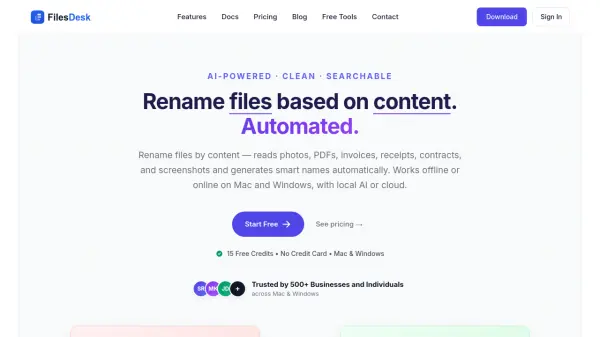
What is FilesDesk?
FilesDesk is an AI-powered desktop application for Mac and Windows that automates file renaming by analyzing the actual content of files. Rather than manually renaming documents, photos, or invoices, users simply drag and drop their files into the app, and the AI reads EXIF data, extracted text, and visual content to generate meaningful, consistent filenames in seconds. The tool supports a wide range of file types, including PDFs, scanned documents, receipts, contracts, screenshots, and photographs, making it suitable for a broad spectrum of professional and personal use cases.
FilesDesk offers flexible deployment options, allowing users to choose between a managed cloud service (no API keys required) or a self-managed setup using their own API keys from providers such as OpenAI, Claude, Gemini, and OpenRouter, or by running local AI models via Ollama or vLLM entirely offline. The app includes a powerful custom template and prompt system with reusable naming patterns, batch processing for large file collections, automatic folder watching, processing history tracking, and built-in image optimization to reduce API costs. All files are processed locally on the user's device, ensuring complete privacy and GDPR compliance.
Features
- Smart AI Rename: Automatically generates meaningful, descriptive filenames by analyzing file content, text, metadata, and visuals using AI.
- Local AI Support: Run Ollama or other local models for fully offline file renaming with complete privacy and no API costs.
- Bring Your Own Key (BYOK): Use your own API keys from OpenAI, Claude, Gemini, OpenRouter, or any LLM provider for full control.
- Custom Templates: Create reusable naming templates with placeholders, transformation rules, and consistent naming conventions.
- Custom AI Prompts: Write your own AI prompts with template variables for precise control over how files are renamed.
- Batch Processing: Rename multiple files simultaneously with queue-based processing that handles large file collections efficiently.
- Automatic Folder Watching: Monitor folders and automatically rename new files as they arrive using preferred templates or AI.
- AI Vision Analysis: Analyze images, photos, screenshots, and scanned documents using vision-capable AI models, including OCR text extraction.
- Processing History: Track all renamed files with complete history, status updates, and the ability to review past operations.
- Secure & Private: Files stay on the user's device and are never stored; API keys are secured in the system's credential manager.
Use Cases
- Automatically renaming scanned PDFs, contracts, and reports with extracted titles and dates
- Organizing invoices and receipts with vendor name, date, and amount for bookkeeping and tax purposes
- Renaming photos using EXIF metadata and AI-generated descriptions for photographers
- Managing brand assets, logos, and design files with consistent, searchable naming conventions
- Organizing sales campaign materials, proposals, and client documents with descriptive names
- Batch renaming screenshots and content creator project files automatically
- Offline file renaming with full privacy using local AI models via Ollama
- Setting up automated folder watching to rename files as they are saved or downloaded
How It Works
Open FilesDesk
Launch FilesDesk on your Mac or Windows computer. Choose your preferred AI setup: managed cloud (no API key needed), your own API key from providers like OpenAI or Claude, or a local Ollama model for offline use.
Drag Your Files
Drop photos, PDFs, invoices, receipts, screenshots, or any other supported files onto the app. FilesDesk reads each file's content, including EXIF data, extracted text, and visual elements.
Run & Rename
Click Rename. The AI analyzes each file and generates a clean, descriptive filename based on its content. Review the suggested names and confirm — the entire process is completed in seconds.
FAQs
-
What are credits and how are they used?
1 credit equals 1 file name suggestion. Each time you use the managed AI service to generate a name for a file, it costs 1 credit. The free tier includes 15 credits with no credit card required. -
Can I use FilesDesk completely offline?
Yes. With the Lifetime license, you can run local AI models such as Ollama or vLLM on your own machine, enabling fully offline file renaming with no API costs and complete privacy. -
What is the difference between the Lifetime license and the Monthly subscription?
The Lifetime license ($20 one-time) requires you to bring your own API keys or run a local AI model. It offers unlimited renames, 12 months of updates, and works entirely on your device. The Monthly subscription ($5–$15/month) provides managed AI credits with no setup or API keys needed. -
Do subscription credits roll over each month?
No. Subscription credits reset monthly and do not roll over to the next billing period. -
Is there a refund policy?
The Lifetime license includes a 3-day money-back guarantee. Monthly subscriptions can be cancelled at any time from the account dashboard, and access continues until the end of the billing period.
Helpful for people in the following professions
FilesDesk Uptime Monitor
Average Uptime
0%
Average Response Time
0 ms