ReddRadar



What is Any.do?
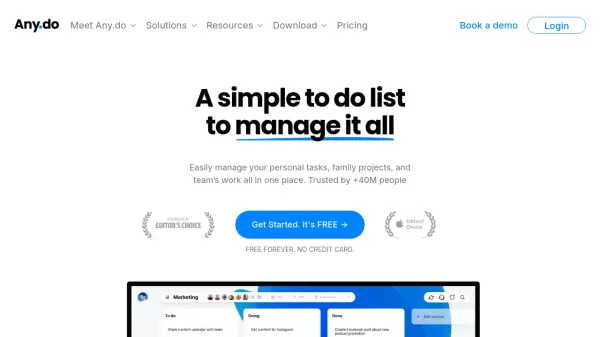
Any.do provides a versatile platform for managing personal tasks, family projects, and team workflows efficiently. It allows users to organize their to-do lists, calendar events, and daily plans seamlessly across various devices, including web, mobile (iOS, Android), desktop (Mac, Windows), and wearables. The tool facilitates setting time-based, location-based, and recurring reminders to ensure no task is missed.
For collaborative efforts, Any.do offers shared boards, task assignments, and in-context chat features, supporting teamwork for families and professional teams alike. It integrates with numerous popular applications such as WhatsApp, Gmail, Slack, Zapier, and more, enhancing workflow automation. Additionally, Any.do incorporates AI-powered features to assist users in managing their tasks and schedules more effectively, alongside providing customizable views and templates for project management.
Features
- Tasks & Lists Management: Easily manage all your tasks and lists.
- Integrated Calendar: Organize calendar events and tasks in one place.
- Daily Planner (My Day): Plan your day effectively.
- Cross-Platform Sync: Access tasks across Web, iOS, Android, Mac, Windows, wearables, and browser extensions.
- Reminders: Set time-based, location-based, and recurring reminders.
- WhatsApp Integration: Create tasks and get reminders directly in WhatsApp.
- AI Assistance: Utilize AI-powered features to save time and effort.
- Sub-tasks: Break down complex tasks into smaller, manageable steps.
- Color Tags: Visually organize tasks using color coding.
- Collaboration Boards: Share and manage projects with family or team members.
- Shared Grocery List: Auto-groups items by aisle for efficient shopping (Family Plan).
- Task Assignment: Assign tasks and sub-tasks to others.
- Project Templates: Use over 100 pre-made templates for various workflows.
- In-Context Chat: Discuss tasks directly within the task context.
- Multiple Views: Manage workflows using Kanban, Calendar, and Table views.
- Automations: Auto-assign tasks, set due dates, update status, and more.
- Custom Fields: Add specific context to tasks (Teams Plan).
- Integrations: Connect with numerous apps including Zapier, Slack, Gmail, etc.
- Time Tracking: Track time spent on tasks (Teams Plan).
Use Cases
- Personal Task Management
- Family Organization and Planning
- Team Project Management
- Workflow Automation
- Daily Scheduling and Planning
- Remote Work Coordination
- Software Development Task Tracking
- Marketing Campaign Management
- Event Planning Coordination
- Household Management (Grocery lists, chores)
- Student Assignment Tracking
FAQs
-
How can I tell which plan is right for me?
The basic (free) version is for personal to-do lists. Premium adds advanced features like Zapier integration and location reminders. The Family plan is for sharing household projects and lists (up to 4 members). Teams plan offers advanced project management and collaboration features. -
Can I use Any.do for free?
Yes, the Personal plan offers a free version for managing private to-do lists. Free trials are also available for the Premium and Teams plans. -
What is an Any.do Workspace?
Any.do Workspace is the team collaboration platform within Any.do Teams, designed for streamlining work, enabling collaboration, and managing personal and professional projects. -
Which plan should I choose for sharing tasks with others?
For sharing items with partners or within a household, the Family plan is suitable. For advanced collaboration with larger teams or project management, choose the Teams (Workspace) plan. -
How can my team try out Any.do Workspace for free?
You can start a free 14-day trial of Any.do Teams by signing up on their website.
Related Queries
Helpful for people in the following professions
Any.do Uptime Monitor
Average Uptime
0%
Average Response Time
0 ms