What is zapbi.com?
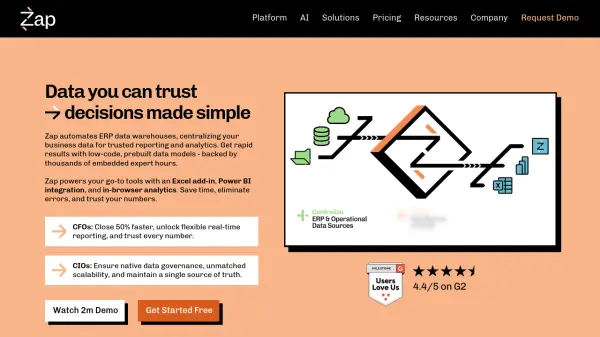
Zap is a data warehouse automation platform that centralizes business data from ERP and accounting systems for reliable reporting and analytics. It automates data processes, freeing up over 20 hours monthly, and provides a single source of truth across an organization. The platform features pre-built data models with thousands of embedded expert hours, enabling rapid deployment and low-code customization.
Zap integrates seamlessly with popular tools like Excel through its Zap Live add-in and Power BI for visualization, while also offering its own Zap Analytics for in-browser reporting. It ensures data governance, scalability, and accuracy, helping CFOs close financial processes 50% faster and CIOs maintain data integrity. The platform supports various ERP systems including Sage, SAP, Dynamics, and Xero, making it versatile for different business needs.
Features
- Data Warehouse Automation: Automates ERP data warehouse creation with pre-built models and low-code customization
- Excel Integration: Zap Live add-in allows direct access to trusted data in Excel with financial pivot-tables and advanced functions
- Power BI Integration: Pre-built Power BI models and analytics tailored to specific ERP systems with synchronized data
- Zap Analytics: Web-based, no-code analytics solution with mobile-optimized views and automated report distribution
- Pre-built Data Models: Thousands of hours of embedded expertise in ready-to-use data models for rapid deployment
- Data Centralization: Consolidates, reconciles, and enriches data from multiple sources into a single source of truth
- Automated Reporting: Schedule or trigger delivery of formatted Excel or PDF reports with advanced date functions
- Data Governance: Ensures native data governance, scalability, and data quality assurance through warehouse foundation
Use Cases
- Automating financial close processes to save 20+ hours monthly
- Creating consolidated business reports across multiple ERP systems
- Building trusted Power BI dashboards with synchronized ERP data
- Developing custom financial reports in Excel with live data connections
- Centralizing data from Sage, SAP, Dynamics, and other business systems
- Implementing data-driven decision making across an organization
- Streamlining data reconciliation across business units and modules
- Creating mobile-accessible business analytics for remote teams
FAQs
-
What happens if I exceed my included data limit?
You may exceed your storage limit by up to 30% for up to 60 days, but model processing may be affected if you exceed 30% or remain over your limit for more than 60 days. -
Are there any long-term contracts required?
Yes, all plans require a minimum annual commitment. -
Can I try the platform before committing to a paid plan?
Yes, a free trial with all Platinum plan features is available to explore the platform's capabilities. -
Can I upgrade or downgrade my plan?
You can upgrade anytime with immediate feature access, but downgrades take effect at your next annual renewal date. -
How does the fair use policy for model refreshes work?
It's based on total processing time rather than refresh count, with limits for scheduled refreshes (8 daily for Silver, 48 for Gold, unlimited for Platinum) to ensure optimal performance.