ReddRadar


What is YT Cutter?
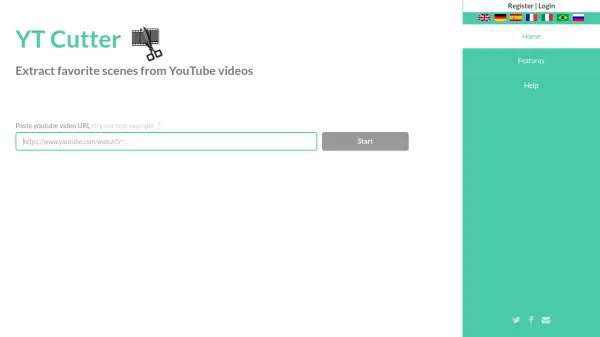
YT Cutter provides a straightforward solution for extracting specific segments from YouTube videos. Users can paste a YouTube URL, set precise start and end times with 0.1-second accuracy, and download the trimmed content in various formats.
The tool operates entirely online without requiring registration, making it accessible for immediate use. It supports multiple output options including video files, audio files, animated GIFs, and screenshots, offering flexibility for different content needs.
Features
- Trim and Download: Cut specific segments from YouTube videos and save them to your computer
- Multiple Export Formats: Export trimmed content as video files, audio files, animated GIFs, or screenshots
- High Precision Editing: Set start and end times with 0.1-second accuracy for precise cutting
- No Registration Required: Use the tool immediately online without creating an account
- Screenshot Functionality: Capture specific frames from YouTube videos as images
Use Cases
- Creating short video clips from longer YouTube content for social media sharing
- Extracting audio segments from YouTube videos for podcasts or music samples
- Making animated GIFs from funny or interesting YouTube moments
- Capturing screenshots from YouTube tutorials or presentations for reference
- Isolating specific scenes from YouTube movies or shows for analysis or review
FAQs
-
What should I do if my downloaded clip has audio synchronization issues or playback problems?
This is usually caused by outdated codecs in your video player. Download VLC player to resolve most problems. Alternatively, transcode your clip using free apps like Handbrake (Windows, MacOS, Linux) or Video Transcoder for Android. -
Why might a YouTube video not be available for cutting?
The video may be inaccessible due to YouTube country restrictions or IP blocking. Wait several minutes and try again, as it might work then. -
How do I capture a screenshot from a YouTube video?
Set the start time to the frame you want to capture. The end time is ignored, so set it to any value that enables download. -
What file formats does YT Cutter generate?
The tool typically generates MP4 files for videos and M4A for audio. If not possible, you may get MKV or OGG files. Use programs like Handbrake to transcode to other formats like MP3, MP4, or MOV.
Related Queries
Helpful for people in the following professions
YT Cutter Uptime Monitor
Average Uptime
0%
Average Response Time
0 ms