ReddRadar

What is X360CE?
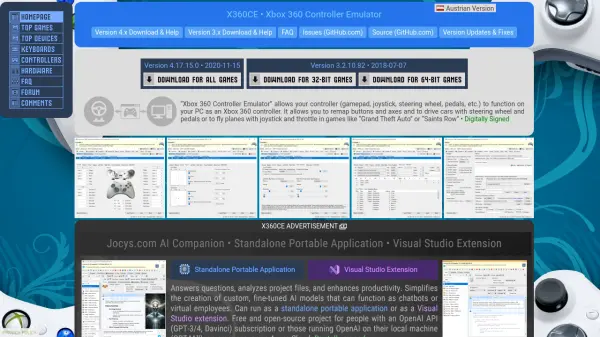
X360CE is a free and open-source Xbox 360 Controller Emulator designed for PC gaming. It allows users to connect and use a wide range of controllers, including gamepads, joysticks, steering wheels, and pedals, as if they were Xbox 360 controllers. This emulator provides extensive customization options, enabling users to remap buttons and axes to suit their preferences and game requirements. It supports both version 3.x and version 4.x, with the latter utilizing the ViGEmBus Virtual Gamepad Emulation driver for improved compatibility with modern games.
The tool is digitally signed for security and includes features like HIDGuardian to hide original controllers from games, ensuring only virtual controllers are visible. It is optimized for games like "Grand Theft Auto" and "Saints Row," offering precise control for driving and flying simulations. X360CE is developed as a community-driven project, with regular updates and fixes to enhance performance and address bugs.
Features
- Controller Emulation: Allows various controllers to function as Xbox 360 controllers on PC
- Button and Axis Remapping: Customize control mappings for personalized gaming setups
- Virtual Driver Support: Uses ViGEmBus for improved compatibility with modern games
- HIDGuardian Integration: Hides original controllers to prevent conflicts in games
- Digital Signing: Ensures security and trustworthiness of downloaded files
Use Cases
- Using non-Xbox 360 controllers with PC games that require Xbox 360 input
- Customizing control schemes for driving or flying simulations in games
- Enhancing compatibility for older controllers with newer PC games
- Setting up multiple controllers for local multiplayer gaming on PC
- Improving precision and responsiveness in gaming with customized dead zones and sensitivity settings
FAQs
-
What controllers are supported by X360CE?
X360CE supports a wide range of controllers, including gamepads, joysticks, steering wheels, pedals, and other DirectInput devices, allowing them to function as Xbox 360 controllers on PC. -
How do I install the ViGEmBus driver for X360CE?
To install the ViGEmBus driver, run X360CE as an administrator, go to the Options tab, select the Virtual Device tab, and click the ViGEm Bus Install button. -
Can I use X360CE with multiple controllers simultaneously?
Yes, X360CE supports multiple controllers. You may need to configure them by setting the 'Map To' values and enabling the 'Combine Into' feature in the Advanced tab for proper functionality in games. -
Is X360CE safe to download and use?
Yes, X360CE is digitally signed and free from malware. It is recommended to download only from official sources and avoid disabling antivirus software, as the project actively works to resolve any false positives with antivirus developers. -
What should I do if my controller is not recognized by X360CE?
If your controller is not recognized, ensure it is properly connected, check for driver updates, and try restarting X360CE. You can also visit the NGEmu X360CE Forum or search online for specific troubleshooting steps.