ReddRadar

What is WebSniffer?
WebSniffer is an online HTTP sniffer tool designed to analyze and display HTTP request and response headers for any web page or server IP address. This tool enables users to inspect critical server response information, including status codes, content types, server identifiers, and modification times, helping identify issues like redirects or server configurations.
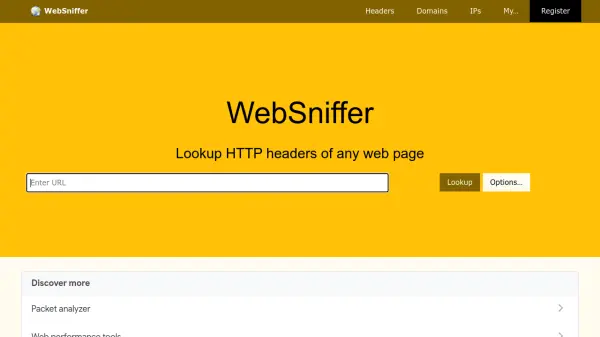
The platform supports secure HTTPS connections and offers flexible options such as multiple user agents (including Googlebot), HTTP protocol switching between versions 1.0 and 1.1, and the ability to sniff IP addresses directly. It provides a straightforward interface where users simply input a URL or IP to retrieve detailed header data and page content, making it a valuable resource for web development and troubleshooting.
Features
- HTTP Header Analysis: View detailed HTTP request and response headers for any URL or IP address
- Multiple User Agents: Includes options like Googlebot, Internet Explorer, Firefox, Chrome, Safari, and custom user agents
- Protocol Support: Switch between HTTP/1.0 and HTTP/1.1 protocols for compatibility testing
- Secure Connections: Supports HTTPS connections for analyzing encrypted web traffic
- IP Address Sniffing: Allows direct analysis of server IP addresses in addition to domain URLs
Use Cases
- Troubleshooting website redirects and server response issues
- Analyzing HTTP headers for SEO optimization and performance monitoring
- Testing web page compatibility with different user agents and HTTP protocols
- Investigating server configurations and security headers for security audits
- Debugging web applications by inspecting request and response details
FAQs
-
What information does WebSniffer display from HTTP headers?
WebSniffer displays HTTP response headers including status codes (like 200 for success or 301/302 for redirects), content type, server identifier, last modification time, and other server response details. -
Can WebSniffer analyze HTTPS websites?
Yes, WebSniffer supports secure HTTPS connections, allowing users to analyze HTTP headers for encrypted web traffic just like with regular HTTP websites. -
What user agents are available in WebSniffer?
WebSniffer offers multiple user agent options including WebSniffer's own agent, Internet Explorer 6/7, Firefox 3, Google Chrome 5, Safari 5, iPhone Mobile Safari, Netscape 4.8, Opera 9.2, Googlebot, and a custom 'your user agent' option. -
Can I use WebSniffer to check IP addresses directly?
Yes, WebSniffer supports sniffing of IP addresses in addition to domain URLs, allowing users to analyze server headers by entering either a website URL or a server's IP address. -
What HTTP protocols does WebSniffer support?
WebSniffer supports both HTTP/1.0 and HTTP/1.1 protocols, allowing users to switch between them for compatibility testing and analysis.