What is Useful Formulas?
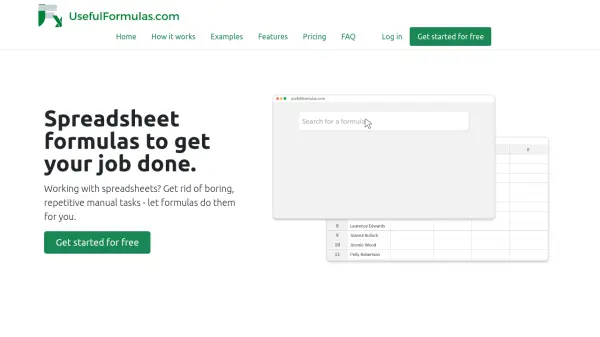
Useful Formulas delivers a comprehensive library of over 600 ready-to-use spreadsheet formulas, designed to eliminate repetitive manual work in Excel and Google Sheets. Users can quickly search for formulas, copy them with a single click, and paste directly into their spreadsheets, dramatically improving efficiency and accuracy.
The platform is compatible with multiple languages and adapts to different formula separators and cell reference formats automatically. This solution is ideal for professionals at any skill level, from beginners to advanced users, helping them save time and focus on high-value activities without worrying about complex formula syntax or formatting conventions.
Features
- Formula Search Engine: Quickly find the formulas you need with keyword and filter-based search.
- One-Click Copy: Instantly copy formulas with a dedicated button for easy pasting.
- Excel & Google Sheets Compatibility: Works seamlessly with both Microsoft Excel and Google Sheets.
- Automatic Language Detection: Adapts formula language based on user's spreadsheet preferences.
- Dynamic Cell Reference Adjustment: Automatically sets cell references for your paste location.
- Separator Detection: Identifies and applies the appropriate formula separator (comma or semicolon).
- Wide Formula Library: Access to 600+ ready-to-use formulas.
- Multi-format Support: Handles various number and date formats recognized by spreadsheets.
Use Cases
- Automating repetitive spreadsheet tasks in business operations.
- Quickly generating custom formulas without manual writing or researching.
- Improving data extraction, transformation, and formatting.
- Enhancing productivity in sales, marketing, and administrative roles.
- Assisting non-expert users to perform advanced data tasks.
- Facilitating data cleanup and numeric or date manipulation efficiently.
FAQs
-
What do I get with a subscription?
A subscription provides access to a library of ready-to-use spreadsheet formulas designed to automate repetitive manual tasks in Excel and Google Sheets. -
Is Useful Formulas suitable for beginners?
Yes, you only need basic spreadsheet knowledge, such as copying and pasting formulas, to benefit from Useful Formulas. -
Can I test Useful Formulas before subscribing?
Yes, you can create a free account to test the platform with a limited number of formulas before purchasing a subscription. -
Do I need to use specific formats for numbers and dates?
No, Useful Formulas is designed to work with any number or date format recognized by your spreadsheet program.
Related Queries
Helpful for people in the following professions
Useful Formulas Uptime Monitor
Average Uptime
0%
Average Response Time
0 ms