ReddRadar
What is Use Contrast?
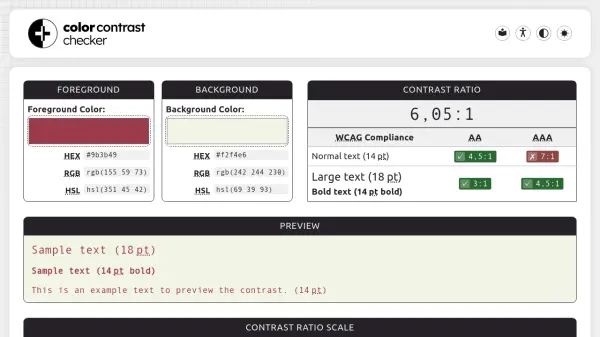
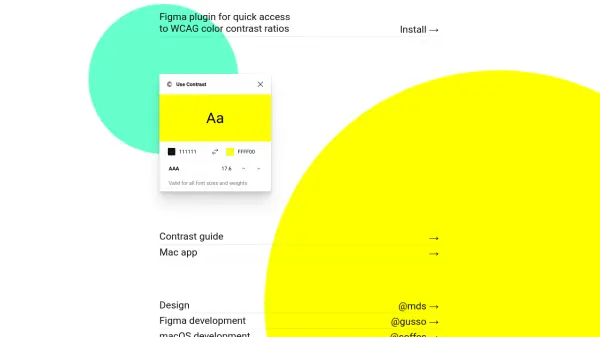
Use Contrast is an AI-powered tool designed for designers and developers working in Figma, providing immediate access to WCAG color contrast ratios. The tool analyzes color combinations to determine their compliance with accessibility standards, displaying clear contrast scores that are valid for all font sizes and weights. This functionality helps users create more inclusive designs by ensuring text remains readable for individuals with visual impairments.
The platform offers both a Figma plugin and a standalone Mac application, allowing for flexible integration into various design workflows. By leveraging artificial intelligence to calculate and validate contrast ratios, Use Contrast streamlines the accessibility checking process, saving time and reducing manual effort. The tool supports designers in meeting accessibility guidelines efficiently, contributing to more user-friendly digital products.
Features
- WCAG Compliance: Calculates color contrast ratios according to WCAG accessibility standards
- Figma Integration: Plugin for seamless use within Figma design environment
- Mac App: Standalone application for macOS users
- Font Flexibility: Valid for all font sizes and weights
- Quick Access: Instant calculation of contrast ratios
Use Cases
- Checking color contrast for accessibility compliance in UI designs
- Ensuring text readability in digital products for users with visual impairments
- Validating design elements against WCAG standards during development
- Streamlining accessibility testing in Figma workflows
- Creating inclusive designs for websites and applications