ReddRadar
What is Subtitle Downloader?
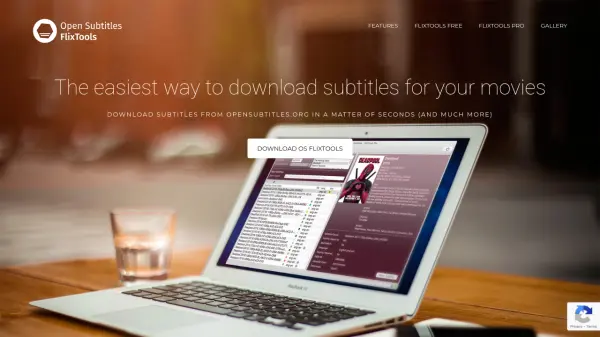
Subtitle Downloader is an application designed to help users find and download subtitles for their videos. It connects to popular subtitle websites such as OpenSubtitles and Subscene to search for available subtitles. The app provides a straightforward way to add captions to video content, enhancing accessibility and viewing experience.
Users can download subtitles directly to their devices, with support for various languages and subtitle formats. The app includes features like subtitle synchronization and integration with media players like VLC. It also offers account creation options to increase download limits and improve subtitle availability.
Features
- Subtitle Search: Searches multiple websites like OpenSubtitles and Subscene for available subtitles
- Download Management: Allows downloading subtitles directly to devices with support for external storage
- Synchronization: Includes features to sync subtitles with video playback using media players like VLC
- Account Integration: Supports user accounts to increase download limits and access more subtitles
- Language Support: Offers multiple language options for subtitles with ability to request new languages
Use Cases
- Adding subtitles to movies or TV shows for better accessibility
- Syncing subtitles with video playback in media players
- Downloading subtitles for foreign language content
- Managing subtitle files on mobile devices or external storage
- Increasing subtitle download limits through user accounts
FAQs
-
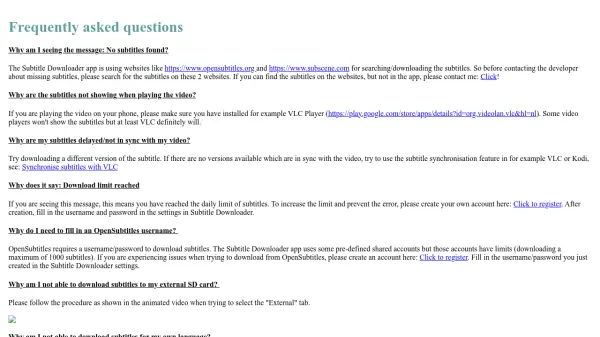
How do I increase the subtitle download limit?
Create an account on OpenSubtitles and enter your username and password in the Subtitle Downloader settings to increase the daily limit. -
Which media players support the downloaded subtitles?
VLC Player is recommended as it reliably displays subtitles; other players may not show them. -
What should I do if subtitles are not in sync with my video?
Try downloading a different subtitle version or use the synchronization feature in media players like VLC or Kodi. -
How can I download subtitles to an external SD card?
Follow the procedure shown in the animated video within the app when selecting the 'External' tab. -
What if my language is not available for subtitles?
Contact the developer to request new languages; if available, they will be added in a future release.
Related Queries
Helpful for people in the following professions
Subtitle Downloader Uptime Monitor
Average Uptime
0%
Average Response Time
0 ms