ReddRadar


What is Style Dictionary Play?
Style Dictionary Play is a web-based interactive environment that enables users to work with design tokens in real-time. It provides a comprehensive playground where users can create, modify, and test token configurations directly in their browser. The tool automatically encodes all progress into the URL when files are saved, making it exceptionally easy to share complete setups with team members or collaborators.
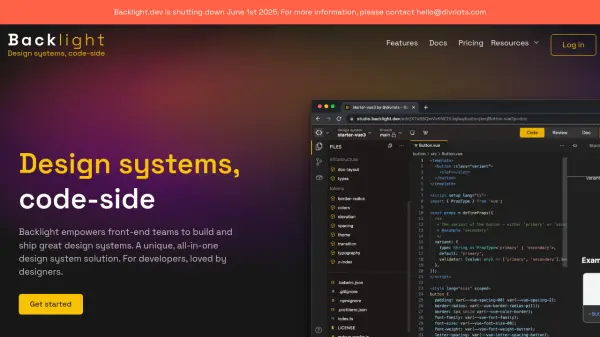
Built specifically for integration with the Backlight.dev design system platform, this tool supports advanced use cases including custom formats, transforms, and relative imports between JavaScript files. It features a full-featured editor with keyboard navigation support and allows users to download their entire playground configuration as a ZIP file for offline use or backup purposes.
Features
- URL Encoding: Automatically encodes all file changes into the URL for easy sharing and collaboration
- JavaScript Support: Allows tokens or configuration as JS files for advanced use cases including custom formats and transforms
- File Management: Supports relative imports between JS files to reuse token partials and organize projects efficiently
- Integration Capabilities: Supports dispatching MessageEvents using postMessage for third-party integrations through iframes
- Export Functionality: Can download all files in the current playground as a ZIP file for offline use or backup
Use Cases
- Experimenting with design token configurations in real-time
- Sharing design system setups with team members via encoded URLs
- Testing custom formats and transforms for design tokens
- Integrating design token playgrounds into third-party applications
- Learning and prototyping design system implementations
FAQs
-
How does the URL encoding feature work?
When you save any file in the playground, the tool automatically encodes your progress into the URL, making it easy to share your complete configuration with others simply by sharing the URL. -
What types of integrations does the tool support?
The tool supports third-party integrations through iframes using postMessage communication, allowing you to request tokens, dictionary instances, or input files from the playground instance. -
Can I use this tool offline?
Yes, you can download all files in your current playground as a ZIP file using the download button at the bottom left of the editor, allowing for offline use or backup. -
What advanced use cases does the JavaScript support enable?
The JavaScript support allows for custom formats, transforms, and the use of the StyleDictionary object with formatHelpers for more complex design token implementations.