ReddRadar

What is Sprite Fusion?
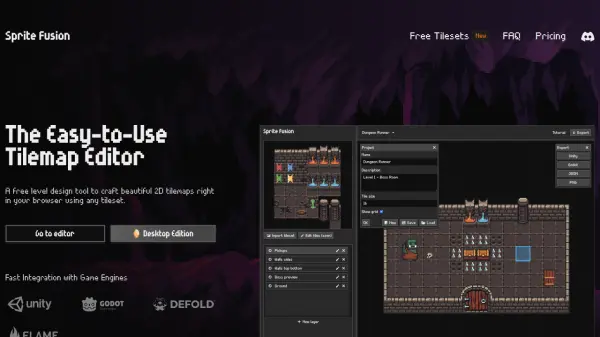
Sprite Fusion is a free tool for creating 2D tilemaps directly in your browser. This level design editor emphasizes simplicity and art direction, enabling the rapid design of levels with imported tilesets and built-in features.
The editor includes support for features like auto-tiling, collision setting. It offers seamless exports compatible with major game engines, making integration effortless.
Features
- Import any tileset: Load tilesets using simple Drag-and-Drop or clipboard paste.
- Tile Map Editor: Craft levels using an intuitive tile map editor with single or multiple tile selections.
- Export in one click: Directly export your map as a native Unity, Godot or Defold tilemap.
- Auto Tile: Includes an easy-to-use auto tile system for swift terrain design.
- Seamless Game Engine exports: Export your tilemap as a Unity package, Godot scene or Defold assets.
Use Cases
- Designing levels for 2D platformer games.
- Creating maps for RPGs.
- Developing retro games with built-in helpers for GB Studio.
- Building tilemaps for mobile games using Defold.
- Quickly prototyping game levels with auto-tiling features.
FAQs
-
What is Sprite Fusion?
Sprite Fusion is a free tilemap editor and game design tool. It allows you to design 2D maps for your games, and export them to Unity or Godot or any game engine. -
What is a tilemap?
A tilemap is a 2D map made of tiles. Tiles are small images that are repeated to create a map. Tilemaps are used in many games, from platformers to RPGs. -
How much does it cost?
Sprite Fusion is free (woot!) and you don't need to create an account to use it. -
Does Sprite Fusion support collisions?
Yes, Sprite Fusion supports collisions. You can set any layer as a collider to use collisions in your game. -
What is Auto-tiling?
Auto-tiling is a feature that allows you to automatically place tiles based on their neighbors. It is useful to quickly design terrain map.
Related Queries
Helpful for people in the following professions
Sprite Fusion Uptime Monitor
Average Uptime
0%
Average Response Time
0 ms