What is Shogun?
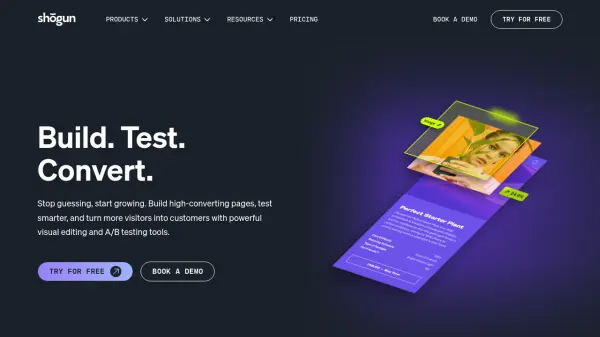
Shogun provides a comprehensive suite of tools for ecommerce merchants to build, test, and personalize their online storefronts. Its visual Page Builder allows users to design and launch high-converting pages without any coding, using a drag-and-drop interface and a library of pre-built templates. The platform includes A/B testing capabilities to optimize headlines, images, and layouts based on data-driven insights, as well as Smart Pages that adapt content for different visitor segments. An AI Section Builder helps generate custom sections from text prompts. Shogun integrates seamlessly with Shopify and BigCommerce, offering features like content scheduling, global content sections, and advanced analytics to help businesses increase revenue and improve customer experiences.
Features
- Visual Page Builder: Drag-and-drop interface to design custom pages without coding.
- A/B Testing: Run tests on headlines, images, and layouts to optimize conversion rates.
- Smart Pages: Automatically adapt page content for different visitor segments.
- AI Section Builder: Generate page sections instantly by describing what you need.
- Content Scheduling: Automate publishing and expiration of promotions.
- Global Content Sections: Apply universal updates across store-wide content.
- Personalization: Tailor experiences based on audience segments, location, and behavior.
- Template Library: Access a collection of pre-designed page templates.
- Analytics: Track page performance, conversion rates, and user engagement.
- Integration: Works seamlessly with Shopify and BigCommerce.
Use Cases
- Designing high-converting landing pages for marketing campaigns.
- Running A/B tests to improve product page conversion rates.
- Personalizing shopping experiences for different customer segments.
- Creating promotional pages that automatically schedule launch and expiry.
- Building custom collection pages without developer help.
FAQs
-
How does Shogun billing work?
You will be billed for your Shogun plan's set rate monthly or annually depending on your chosen plan. If you've selected a paid plan, billing begins once your free trial period has ended. -
What is a MTU?
A Monthly Tracked User (MTU) is counted for each unique shopper that visits any page with an active A/B test or personalized experience in a given month. -
What if I need something designed or built for me?
Shogun provides the software and pre-built templates. If you need extra help, you can check out their agency partners who specialize in ecommerce store design and CX. -
How do I cancel?
Simply uninstall the app from your Shopify or BigCommerce store, and your subscription will be canceled. You will not be charged once Shogun has been uninstalled. -
Can I talk to someone before I sign up?
Yes, you can email support@getshogun.com. For custom enterprise-level agreements, send a message via the contact form.
Helpful for people in the following professions
Shogun Uptime Monitor
Average Uptime
0%
Average Response Time
0 ms