ReddRadar

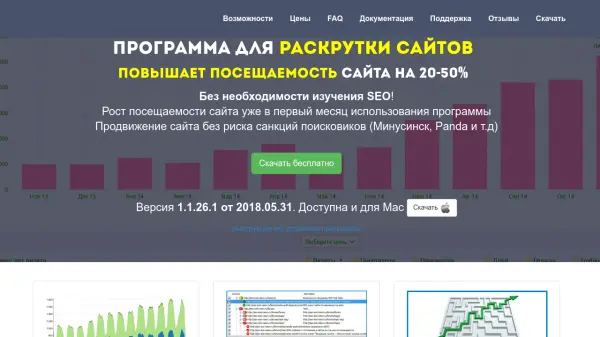
What is SEO Tool Vision?
SEO Tool Vision is a comprehensive desktop application designed to help website owners and businesses improve their search engine optimization through detailed technical analysis. The program scans websites to identify internal SEO errors and structural problems that hinder search engine rankings, then generates actionable recommendations for correction.
The tool provides visual representations of website quality using color-coded indicators to highlight problematic pages, making it accessible even for non-technical users. It includes features for analyzing page structure, identifying broken links, optimizing search snippets, and planning website architecture. Users can export audit results to CSV format for easy sharing with developers or contractors.
Features
- Website Quality Audit: Scans websites for SEO errors and displays problematic pages with color-coded visual indicators
- Broken Link Detection: Identifies non-functional links that negatively impact search engine rankings
- Search Snippet Optimization: Evaluates and helps improve how pages appear in search engine results
- Structure Planning: Includes tools for planning new website architecture and monitoring content implementation
- Multi-Language Support: Performs technical audits on websites in different languages
- Export Functionality: Generates reports in CSV format that can be opened in spreadsheet applications like Excel
Use Cases
- Conducting technical SEO audits on business websites
- Identifying and fixing broken links that harm search rankings
- Optimizing website structure for better search engine visibility
- Monitoring SEO contractor performance and deliverables
- Planning new website architecture before development
- Improving search snippet appearance in search results
FAQs
-
How do I remove the 'unregistered copy' message?
The 'unregistered copy' message appears when no registration key has been entered or when the license has expired. To remove this message, you need to enter a valid registration key in the program. -
What should I do if the program won't install?
If the program fails to install, it's usually because the installer file was not downloaded completely. Try downloading the program again from the website to ensure you have the complete installation file. -
How can I work with multiple websites?
The program supports analysis of multiple websites through the 'File' menu where you can save/load projects. Each project stores information for one website in a separate file that can be transferred to other computers.
Related Queries
Helpful for people in the following professions
SEO Tool Vision Uptime Monitor
Average Uptime
0%
Average Response Time
0 ms