ReddRadar

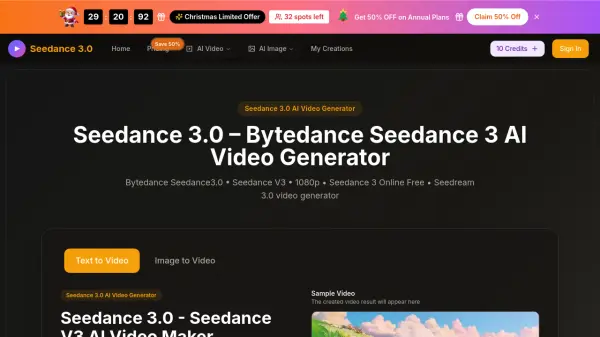
What is Seedance 3.0?
Seedance 3.0 leverages ByteDance's advanced Seedance3.0 Model to transform text prompts and images into professional-grade 1080p videos. The platform specializes in multi-shot storytelling with consistent character representation and style across scenes, eliminating visual drift between shots. Users can create videos through dual input methods—either by entering detailed text prompts or uploading reference images—making it accessible for both beginners and professional creators.
The tool outputs native 1080p resolution with physics-aware motion simulation and synchronized audio-visual elements. Video generation typically completes within minutes with a 99.5% success rate. The platform supports targeted editing capabilities, allowing users to modify specific elements while preserving the rest of the clip unchanged. Export options include MP4 format optimized for social media, marketing campaigns, and professional presentations. Commercial use licenses are included with paid plans, enabling businesses and content creators to use generated videos without restrictions.
Features
- 1080p HD Quality Output: Native 1080p resolution with smooth motion and cinematic quality for professional results
- Multi-Shot Storytelling: Maintains consistent characters and style across multiple scenes without visual drift
- Dual Input Methods: Supports both text-to-video and image-to-video creation modes
- Accurate Prompt Following: Generates videos that precisely match scene layout and actions described in prompts
- Audio-Visual Synchronization: Automatic alignment of audio and visuals for immersive viewing experience
- Targeted Video Editing: Modify specific elements while leaving the rest of the video unchanged
- Multiple AI Models: Access to Seedance3.0, Nano Banana, Seedream, Veo 3, Sora 2, and Wan 2.5 models
Use Cases
- Creating marketing videos for social media campaigns with consistent brand visuals
- Generating product demonstration videos from text descriptions
- Producing multi-scene storytelling videos with character consistency
- Creating presentation videos for business pitches and educational content
- Developing video content for digital advertising without filming equipment
- Converting image storyboards into animated video sequences
- Generating cinematic B-roll footage for video projects
- Creating video content for e-commerce product listings
How It Works
Choose Video Generation Mode
Select the Seedance 3.0 AI Video Generator and decide between text-to-video or image-to-video creation mode based on your content needs.
Upload Image or Enter Text Prompt
Either upload a reference image or enter detailed text prompts describing your desired video. Configure settings like aspect ratio (16:9, 9:16, 4:3, etc.), video quality (720p or 1080p), and duration (5 or 10 seconds).
Generate and Download Video
Click generate and wait for processing to complete. Review the generated 1080p video, make any targeted edits if needed, then download the final result in MP4 format ready for publishing.
FAQs
-
How long does it take to generate a video with Seedance 3.0?
Video generation typically completes within minutes with a 99.5% success rate. Generation speed may vary based on video duration and complexity. -
What video formats can I download from Seedance 3.0?
Videos can be downloaded in MP4 format, which is ideal for marketing, social media, and professional use across various platforms. -
Is there a limit to the number of videos I can generate?
Video generation is credit-based. Free users receive starter credits, while paid plans include monthly credit refills. The Basic plan allows up to 80 videos/month, Professional up to 200 videos/month, and Enterprise up to 600 videos/month. -
Can I use Seedance 3.0 on mobile devices?
Yes, Seedance 3.0 works directly in your phone's browser without requiring a dedicated mobile app installation. -
Do unused credits roll over to the next month?
Monthly plan credits do not roll over to the next month. Yearly plan credits are valid for the entire subscription period, and one-time credit packs never expire.