ReddRadar

What is RemoveFrom.Video?
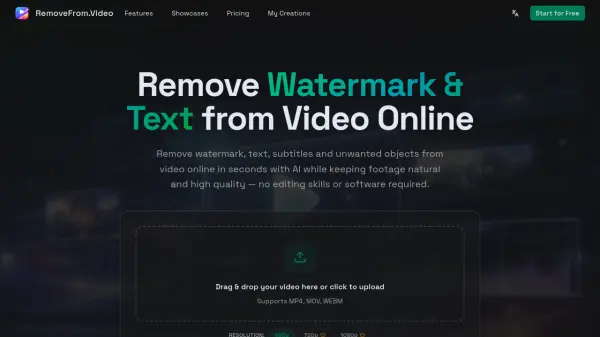
RemoveFrom.Video is an AI-powered online platform that enables users to remove watermarks, text overlays, subtitles, and unwanted objects from videos without compromising quality or requiring complex editing software. The tool leverages advanced AI video inpainting technology to automatically detect and erase unwanted elements while intelligently reconstructing backgrounds across frames to maintain natural motion, lighting consistency, and visual continuity.
The platform supports common video formats including MP4, MOV, and WEBM, with output resolutions up to 1080p. Designed for creators, marketers, educators, and everyday users, RemoveFrom.Video processes videos entirely in the cloud through a browser-based interface, eliminating the need for high-end hardware or software installation. Users can clean screen recordings, repurpose social media content across platforms, remove TikTok watermarks, erase hardcoded subtitles from movies and tutorials, and eliminate background distractions from footage in just a few simple steps.
Features
- AI Video Inpainting: Advanced AI models that understand motion, lighting, and scene continuity to remove elements and rebuild backgrounds naturally
- Automatic Detection: AI automatically detects watermarks, text, subtitles, and common objects without manual selection or masking
- Multiple Removal Modes: Dedicated modes for removing watermarks, text, subtitles, and objects with specialized AI processing for each
- High-Quality Output: Maintains original video clarity, smooth motion, and lighting consistency up to 1080p resolution
- Cloud-Based Processing: Browser-based online tool that processes videos without software installation or high-end hardware requirements
- Multi-Format Support: Supports MP4, MOV, and WEBM video formats for compatibility with various sources
Use Cases
- Removing TikTok watermarks and YouTube logos to repurpose short videos across multiple social media platforms
- Erasing text overlays and captions from screen recordings, tutorials, and presentations
- Removing hardcoded subtitles from movies, educational videos, and tutorial content
- Eliminating background distractions, people, signs, and unwanted objects from travel videos and vlogs
- Cleaning marketing and product videos by removing watermarks and branding elements
- Preparing professional tutorial and demo videos for courses and technical content
- Enhancing social media video content for better viewer experience across platforms
- Creating clean educational and training videos for long-term learning materials
How It Works
Upload Your Video
Upload your video (MP4, MOV or WEBM) to start removing watermark, text, subtitles or objects online.
Choose a Removal Mode
Select what to remove from video: Watermark, Text, Subtitles or Objects. Each mode uses dedicated AI processing.
Generate the Clean Video
Click Remove from Video and let AI erase the selected watermark, text, subtitles or objects while rebuilding the background naturally.
Preview and Download
Preview the result and download your cleaned video for social media, marketing or creative projects.
FAQs
-
How do I remove watermark from video online?
Upload your video and let AI detect and remove the watermark automatically. The tool preserves video motion and visual quality during processing, and works on TikTok watermarks, YouTube logos and brand marks. -
How do I remove text from video online?
Upload your video, choose the removal mode and let the online tool automatically erase watermark, text, subtitles or unwanted objects directly in your browser—no video editing software needed. AI detects and removes text overlays while preserving the original background. -
How do I remove subtitles from video online?
The tool detects burned-in subtitles and removes them using AI video inpainting. The background is reconstructed across frames to keep the video natural and consistent. -
Will removing elements reduce video quality?
The system preserves clarity, motion and lighting balance during processing, keeping the final video natural, clean and visually consistent. -
Do I need to install any software to use this tool?
No installation is required. You can remove unwanted elements from video online directly in your browser on desktop or mobile devices.