ReddRadar

What is Private Party?
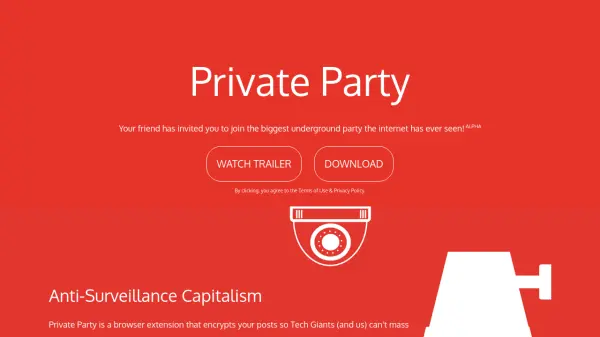
Private Party is a browser extension designed to protect user privacy on social media platforms by encrypting posts with sophisticated cryptographic methods. It operates as an anti-surveillance tool that prevents tech companies from mass spying, censoring, profiting from, or preying on user data. The extension employs Bitcoin-like Proof-of-Work key derivation in Party Mode to enhance security and deter malicious actors, while Secret Agent Mode utilizes peer-to-peer Diffie-Hellman key exchange for 100% secure communication.
Developed by ERA, Private Party is currently in alpha and supports manual installation on browsers like Chrome, Brave, Firefox, and Opera, with plans for mobile, Safari, and IE/Edge support in the future. By encrypting posts, it ensures that only intended recipients can access the content, safeguarding user privacy in an era of pervasive digital surveillance.
Features
- Post Encryption: Encrypts social media posts to prevent tech giant surveillance and censorship
- Party Mode: Uses Bitcoin-like Proof-of-Work key derivation to enhance security against malicious servers
- Secret Agent Mode: Implements peer-to-peer Diffie-Hellman key exchange for 100% secure communication
- Browser Extension: Installs as a browser add-on for easy integration with social media platforms
- Manual Installation Support: Provides instructions for manual setup on various browsers including Chrome, Brave, and Firefox
Use Cases
- Protecting social media posts from mass surveillance by tech companies
- Preventing censorship of online content on platforms like Facebook
- Securing private communications from data exploitation and profiling
- Enhancing digital privacy for activists and journalists
- Safeguarding personal information from corporate data harvesting
FAQs
-
How do I install Private Party on my browser?
Download the extension, unzip the file, go to chrome://extensions/, toggle developer mode on, click load unpacked, and select the unzipped folder to install manually. -
Which browsers are supported by Private Party?
It supports Chrome, Brave, Firefox, and Opera with manual installation, with mobile, Safari, and IE/Edge support coming soon. -
What cryptographic methods does Private Party use?
It uses Bitcoin-like Proof-of-Work key derivation in Party Mode and peer-to-peer Diffie-Hellman key exchange in Secret Agent Mode for encryption. -
Is Private Party free to use?
Yes, Private Party is a free browser extension designed to enhance online privacy without any cost. -
Who developed Private Party?
Private Party was crafted with love by ERA, as indicated on the homepage.