ReddRadar
What is PDFChatGPT?
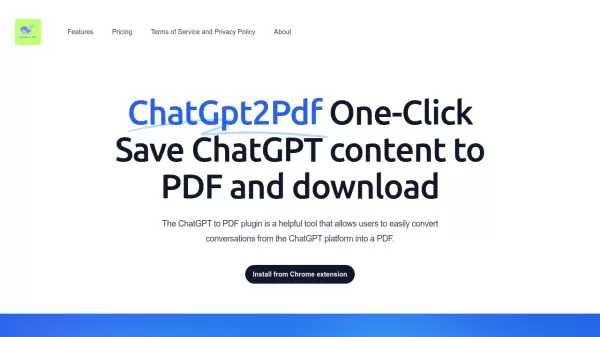
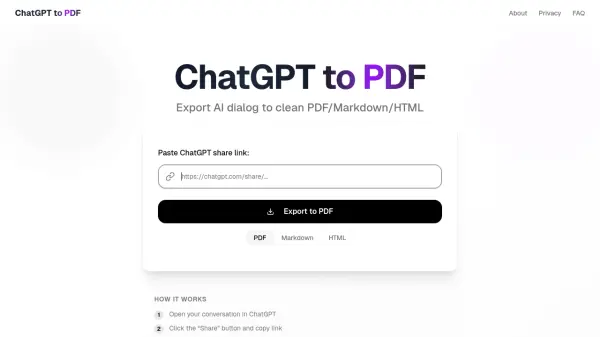
PDFChatGPT is a specialized AI tool designed to convert ChatGPT conversations into clean, formatted documents. It allows users to export their AI dialog to PDF, Markdown, or HTML formats with just a few clicks. The tool processes ChatGPT share links in real-time, typically completing conversions within 10-20 seconds, and preserves the original conversation structure, including user and AI messages, timestamps, and text formatting.
The service operates without requiring user registration, ensuring privacy by not storing conversations or personal data on its servers. It is completely free to use with no limitations on conversation size or number of conversions, making it an efficient solution for saving and sharing ChatGPT interactions in professional document formats.
Features
- Instant Conversion: Fast processing of conversations without delays
- High-Quality PDF: Preserves formatting and conversation structure
- Secure & Private: Data is not stored on servers
- Completely Free: No limitations or signup required
- Multiple Formats: Export to PDF, Markdown, or HTML
Use Cases
- Saving ChatGPT conversations for documentation
- Sharing AI discussions in professional formats
- Creating archives of AI interactions
- Converting ChatGPT chats to readable documents
- Exporting AI conversations for presentations or reports
FAQs
-
How to save ChatGPT conversation as PDF?
Simply copy your ChatGPT conversation link, paste it into the converter, and click 'Download PDF'. Your conversation will be converted to a high-quality PDF file instantly. -
Is this ChatGPT to PDF converter free?
Yes! PDFChatGPT is completely free to use with no limitations. Convert unlimited ChatGPT conversations to PDF without any signup, subscription, or hidden fees. -
Can I export ChatGPT chat history in bulk?
Currently, you can convert one ChatGPT conversation at a time. Each conversation is processed individually to ensure the highest quality PDF output with preserved formatting. -
How to get a ChatGPT conversation link?
In ChatGPT, open the conversation you want to convert, click the 'Share' button at the top of the screen, then 'Copy link' and paste the link into the form above. -
Is my ChatGPT data stored or saved?
No, we do not store your conversations or personal data. All ChatGPT conversation processing happens in real-time, and data is deleted immediately after PDF creation.