What is PDF Anti-Copy?
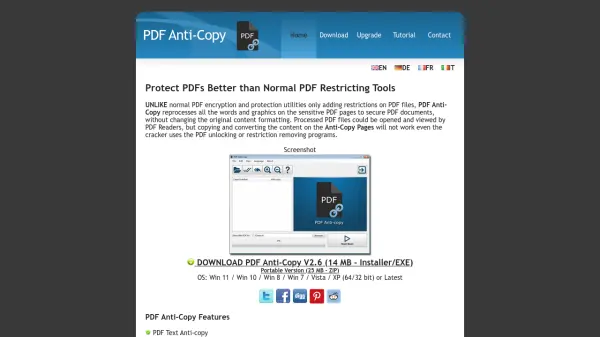
PDF Anti-Copy is a specialized Windows software application designed to enhance PDF document security beyond standard encryption methods. Unlike conventional PDF protection tools that merely add restrictions, this utility reprocesses all words and graphics on sensitive pages to create secure documents without altering the original content formatting. Processed PDF files remain viewable in standard PDF readers, but copying text, converting to editable formats like Microsoft Word, Excel, or TXT, and unauthorized printing are effectively blocked, even if users attempt to bypass restrictions with unlocking programs.
The tool offers selective page protection, allowing users to secure specific pages within a PDF, and supports multiple languages including English, German, French, and Japanese. It operates without requiring passwords, ensuring a user-friendly experience while providing robust security against information theft. After processing, PDFs retain their original layout and quality, making it ideal for protecting confidential documents, intellectual property, and sensitive data from unauthorized duplication or editing.
Features
- PDF Text Anti-copy: Prevents text selection and copying from PDF files
- No Password Required Protection & Encryption: Secures documents without requiring user passwords
- Prevent Converting to editable formats: Blocks conversion to MS Word, Excel, TXT, and other editable formats
- Selective PDF Page Protection: Allows protection of specific pages within a PDF document
- Restrict PDF to protect from printing: Disables printing function in PDF readers
- Global PDF permission prohibits copy function: Applies copy restrictions across the entire document
- Keep the original PDF Layout and quality: Maintains formatting and visual integrity after processing
- Multiple Languages: Supports English, German, French, Japanese, and over 15 other languages
Use Cases
- Protecting confidential business documents from unauthorized copying
- Securing academic papers and research to prevent plagiarism
- Safeguarding legal contracts and sensitive legal documents
- Preventing intellectual property theft from PDF files
- Controlling distribution of proprietary manuals or guides
- Enhancing security for financial reports and sensitive data
FAQs
-
What operating systems does PDF Anti-Copy support?
PDF Anti-Copy supports Windows 11, Windows 10, Windows 8, Windows 7, Vista, and XP, in both 64-bit and 32-bit versions. -
Does PDF Anti-Copy require a password to protect PDFs?
No, PDF Anti-Copy does not require passwords for protection, making it user-friendly and eliminating the need to remember complex passwords. -
Can I protect only specific pages in a PDF document?
Yes, PDF Anti-Copy offers selective PDF page protection, allowing users to secure only the sensitive pages within a document. -
What happens when someone tries to convert a protected PDF to Word?
When converting a protected PDF to Microsoft Word, the resulting document will contain blank pages or non-text images, preventing extraction of editable content. -
How does PDF Anti-Copy maintain the original PDF quality?
PDF Anti-Copy reprocesses text and graphics to secure documents without changing the original content formatting, ensuring layout and quality remain intact.
Related Queries
Helpful for people in the following professions
PDF Anti-Copy Uptime Monitor
Average Uptime
0%
Average Response Time
0 ms