What is NeatScribe?
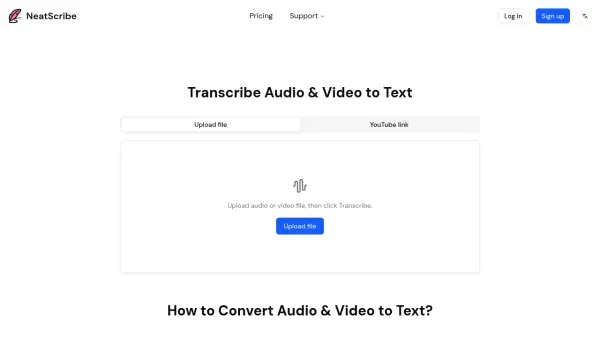
NeatScribe is an AI-powered transcription service that converts audio and video files into accurate text transcripts in seconds. The platform supports a wide range of audio and video formats, making it ideal for transcribing podcasts, meetings, interviews, and other content. Users can upload files directly or paste YouTube links to generate transcripts quickly using an advanced speech-to-text engine.
The tool offers editable transcripts with word-level timestamps, allowing users to easily locate and correct specific sections. Transcripts can be exported in multiple formats including TXT, PDF, DOCX, SRT, and VTT, making them ready for sharing, publishing, or subtitle creation. With support for 98 languages and speaker labeling capabilities, NeatScribe provides fast, browser-based transcription with premium models offering ultra-fast processing speeds.
Features
- Multi-Format Support: Accepts wide range of audio and video formats for transcription
- Word-Level Timestamps: Provides precise timestamps for easy navigation and editing
- Editable Transcripts: Edit transcripts like a document with real-time corrections
- Multiple Export Formats: Export to TXT, PDF, DOCX, SRT, VTT and more
- YouTube Link Support: Direct transcription from YouTube video links
- Speaker Labeling: Automatically identifies and labels different speakers
- 98 Language Support: Transcribe content in 98 different languages (Premium plan)
- Browser-Based Processing: Fast transcription directly in browser without downloads
- Premium Transcription Model: Ultra-fast processing speeds for Pro and Premium users
Use Cases
- Transcribing podcast episodes for show notes and content repurposing
- Converting meeting recordings into searchable text documentation
- Creating subtitles and captions for video content
- Transcribing interviews for research and journalism projects
- Converting educational lectures into study materials
- Generating text versions of YouTube videos for accessibility
- Creating transcripts for legal and compliance documentation
- Documenting customer support calls and consultations
How It Works
Upload Your Audio or Video
Drag and drop a file or choose one from your device or cloud storage. You can also paste a YouTube link for direct transcription. Most audio and video formats are supported.
Edit Your Transcript
Once the transcription is complete, edit the transcript like a document. Word-level timestamps help you quickly locate and fix specific lines or sections.
Export Your Transcript
Export your finished transcript to multiple formats including TXT, PDF, DOCX, SRT, VTT, and more. Your transcript is ready to share, publish, or use for subtitles.
FAQs
-
Can I try the NeatScribe service for free?
Yes, NeatScribe offers a free plan that includes 120 credits per month with basic features for personal use. The free plan allows you to transcribe up to 3 files per day and includes commercial use rights. -
Can I edit the transcript after it's generated?
Yes, NeatScribe allows you to edit transcripts like a document. Word-level timestamps help you quickly find and fix specific lines in the transcript. -
Which audio and video formats does NeatScribe support?
NeatScribe supports a wide range of audio and video formats, making it compatible with podcasts, meetings, interviews, and other content types. You can also paste YouTube links for direct transcription. -
How do I cancel my subscription?
Subscription cancellation information can be found in your account settings or by contacting NeatScribe support for assistance with your subscription management. -
Can I change my plan?
Yes, you can change your NeatScribe plan at any time to upgrade or downgrade between Free, Pro, and Premium tiers based on your transcription needs.
Related Queries
Helpful for people in the following professions
NeatScribe Uptime Monitor
Average Uptime
0%
Average Response Time
0 ms