ReddRadar

What is MyDearPDF?
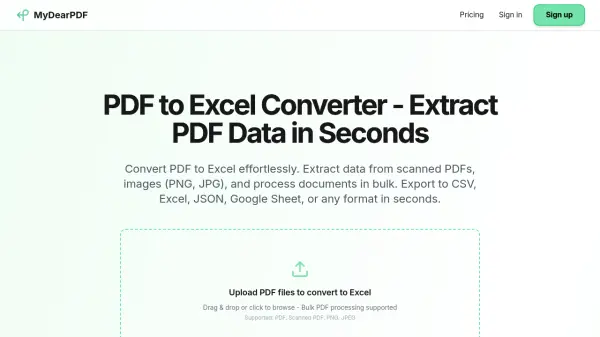
MyDearPDF is an advanced AI-powered tool designed to convert PDF documents into editable Excel spreadsheets quickly and accurately. Leveraging sophisticated OCR technology, it can extract data from scanned PDFs, images (PNG, JPG), and even handwritten documents with over 99% accuracy. The tool excels at handling inconsistent PDF layouts and structures that often break other extraction tools. Users can upload up to 50 files at once for bulk processing and export the extracted data to formats including Excel (XLSX), CSV, JSON, and plain text. MyDearPDF offers flexible pricing with a free tier and subscription plans starting at $29 per month for 1000 credits, making it a cost-effective solution for individuals and businesses.
Features
- Advanced OCR Technology: Extracts data from scanned PDFs, images, and handwritten documents with 99%+ accuracy.
- Bulk PDF Conversion: Process up to 50 PDF files at once for simultaneous conversion.
- Multiple Export Formats: Export extracted data to Excel (XLSX), CSV, JSON, or plain text.
- Inconsistent Layout Handling: Smart AI handles PDFs with varying layouts and structures that break other tools.
- Rollover Credits: Unused monthly credits roll over to the next month on paid plans.
- Image Support: Extract data from PNG, JPG, and other image formats.
Use Cases
- Converting financial statements and invoices from PDF to Excel for data analysis.
- Extracting data from scanned contracts or legal documents for database entry.
- Bulk processing of survey forms or reports captured as PDF images.
- Converting handwritten notes or forms into editable spreadsheet data.
- Exporting PDF data to JSON for integration with web applications.
FAQs
-
How do I convert PDF to Excel for free?
You can sign up for the Free plan on MyDearPDF, which provides 15 credits per month to try the service without charge. -
Can you extract data from scanned PDFs?
Yes, MyDearPDF uses advanced OCR technology to extract data from scanned PDFs, images, and even handwritten documents with 99%+ accuracy. -
What file types can I convert to Excel?
MyDearPDF supports PDF, scanned PDF, PNG, and JPEG files for conversion to Excel. -
How much does PDF to Excel conversion cost?
Paid plans start at $29 per month for 1000 credits, with higher tier plans offering more credits. Unused credits roll over. -
Can I export PDF data to formats other than Excel?
Yes, you can export extracted data to Excel (XLSX), CSV, JSON, or plain text.