ReddRadar

What is My Tube?
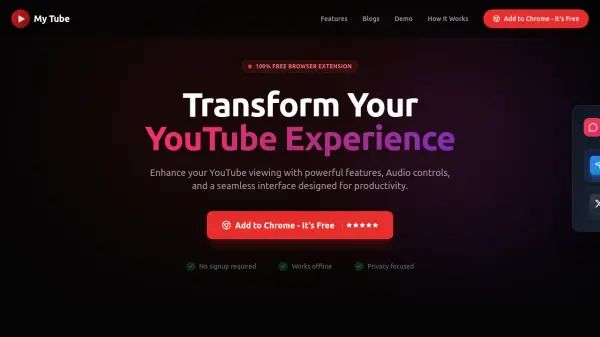
My Tube is a browser extension designed to transform the YouTube viewing experience by eliminating distractions and enhancing functionality. It removes ads, disables Shorts, hides video suggestions, and blocks comments to create a focused environment. The extension also includes audio controls like volume boosting and equalization, along with features such as Picture-in-Picture mode and playlist filtering.
Using AI-powered keyword filtering, My Tube allows users to customize their feed by blocking or allowing content based on specific terms. It operates without requiring sign-ups, works offline, and prioritizes user privacy by disabling watch history tracking. The tool is compatible with Chrome, Firefox, Edge, and other Chromium-based browsers, offering a seamless, clutter-free YouTube experience.
Features
- Comments Disabler: Removes comments section to reduce distractions and toxic interactions
- Volume Booster: Amplifies audio output for clearer, louder sound in low-volume videos
- Volume Equalizer: Customizes audio frequencies like bass and treble for enhanced listening
- Picture-in-Picture: Allows videos to play in a floating mini-player while browsing other content
- Home Feed Disabler: Eliminates YouTube home feed to prevent endless scrolling and distractions
- History Disabler: Prevents YouTube from recording watch history to enhance privacy
- Shorts Disabler: Disables YouTube Shorts to focus on long-form content
- Video Suggestions Disabler: Removes suggested videos and stops autoplay of unrelated content
- Filter By Keywords: Uses AI to block or allow content based on custom keywords for curated feeds
- Watch Later 2.0: Saves video moments with timestamps and tags for easy organization and retrieval
Use Cases
- Studying or working without YouTube distractions
- Enhancing audio quality for music or dialogue in videos
- Multitasking with Picture-in-Picture mode while browsing
- Blocking unwanted content like Shorts or ads for focused viewing
- Customizing YouTube feed with keyword-based filtering
- Maintaining privacy by disabling watch history tracking
- Improving productivity by removing video suggestions and comments
- Organizing saved videos with timestamps and tags for easy access
FAQs
-
Does My Tube require a sign-up or account to use?
No, My Tube does not require any sign-up or account; it works immediately after installation with no configuration needed. -
Which browsers are compatible with My Tube?
My Tube is compatible with Chrome, Firefox, Edge, and other Chromium-based browsers. -
Can My Tube work offline?
Yes, My Tube works offline once installed, allowing users to enjoy its features without an internet connection. -
How does the AI keyword filtering feature work?
The AI keyword filtering allows users to add custom keywords to block or allow specific content in their YouTube feed, tailoring the viewing experience to their preferences. -
Is My Tube free to use forever?
Yes, My Tube is 100% free forever with no hidden costs or subscriptions.
Related Queries
Helpful for people in the following professions
My Tube Uptime Monitor
Average Uptime
0%
Average Response Time
0 ms