
What is MonitorSensei?
MonitorSensei is an AI-powered platform that combines screen monitoring with video and audio transcription capabilities. It watches specified screen regions for pixel and text changes, alerting users immediately when changes occur, eliminating the need for manual monitoring of progress bars or status updates.
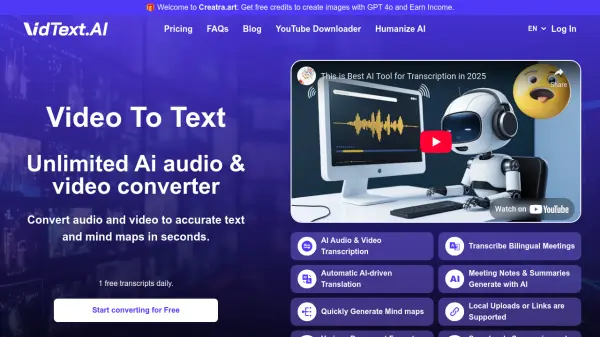
The tool also processes uploaded video or audio files to generate transcripts with timestamps and AI-powered answers, making it ideal for meetings, demos, podcasts, and walk-throughs. Users can access tracking and transcripts from any device, with instant notifications for screen state changes or when transcripts are ready.
Features
- AI Screen Detection: Tracks pixel and text changes in specified screen regions for exact change detection
- AI Video & Audio Transcription: Generates transcripts with timestamps and AI answers from uploaded video or audio files
- Remote Access: Allows monitoring and access to trackers and transcripts from any device
- Instant Notifications: Sends immediate alerts when screen state changes or transcripts are ready
Use Cases
- Monitoring downloads, builds, or renders for completion
- Tracking product availability or status changes like 'Out of Stock' to 'Add to Cart'
- Transcribing meetings, demos, podcasts, or walk-throughs for quick recaps
- Watching dashboards for state changes in support, QA, or operations
FAQs
-
What types of changes can MonitorSensei detect on screens?
MonitorSensei detects changes in pixels and text within specified screen regions, such as progress bars, status updates, or button states. -
What file formats are supported for video and audio transcription?
The tool supports uploaded video and audio files for transcription, with URL support coming soon. -
Is there a free trial available for MonitorSensei?
Yes, MonitorSensei offers a 20-minute free trial with no sign-up or credit card required, and a 7-day free trial for the paid plan. -
Can I use MonitorSensei on multiple devices?
Yes, users can access trackers and transcripts from any device, allowing remote monitoring. -
How quickly are notifications sent when changes occur?
Notifications are sent immediately when screen state changes or when transcripts and AI answers are ready.
Related Queries
Helpful for people in the following professions
MonitorSensei Uptime Monitor
Average Uptime
0%
Average Response Time
0 ms