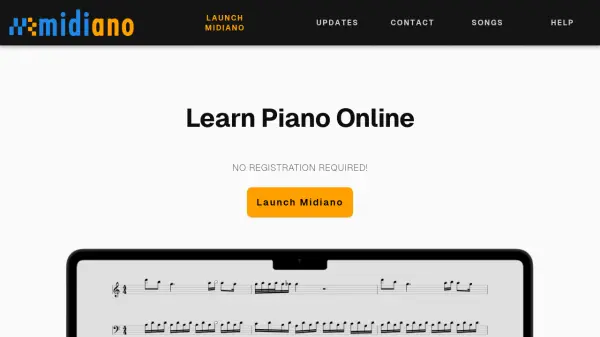

What is Midiano?
Midiano is an interactive piano-learning application that operates directly within modern web browsers without requiring any registration. It allows users to upload any MIDI file and displays the musical notes as falling bars over a virtual piano keyboard while simultaneously generating corresponding sheet music. The tool supports MIDI keyboard connectivity, providing instant feedback on note accuracy and enabling users to play MIDI files through their physical keyboards.
The application runs entirely client-side, making it installable as a Progressive Web App for offline use. It features customizable playback speeds, looping functions for difficult sections, and play-along modes that wait for correct note input. Midiano also includes visual effects like GPU-accelerated particle systems for creating piano visualizations and supports various soundfonts for audio output.
Features
- MIDI File Upload: Upload any MIDI file to learn songs with visual note bars and automatic sheet music generation
- MIDI Keyboard Support: Connect MIDI keyboards for instant feedback and play MIDI files directly on physical keyboards
- Sheet Music Generation: Automatically creates sheet music from uploaded MIDI files with customization options
- Play-Along Mode: Song waits for correct note input, supporting practice of individual hands or both simultaneously
- Loop Function: Loop over specific measures to practice difficult song sections effectively
- Speed Adjustment: Quickly adjust playback speed to learn at your own pace
- Offline Functionality: Install as Progressive Web App for offline use without internet connection
- Visual Effects: Create piano visualizations with GPU-accelerated particle systems for performances or videos
- Fingering Labels: Automatically generate or manually set fingerings for any song
- Device Compatibility: Works on any device with modern browsers including desktop, iOS, and Android
Use Cases
- Learning piano songs through visual note guidance and sheet music
- Practicing sight reading with scrolling sheet music mode
- Improving pitch detection skills using pitch practice mode
- Creating piano performance visualizations for videos or live shows
- Practicing difficult song sections with loop mode and adjustable speeds
- Using MIDI keyboards for interactive piano learning with real-time feedback
- Generating sheet music from existing MIDI files for music study
- Training piano skills offline without internet connection
FAQs
-
What browsers are supported by Midiano?
Midiano runs on any browser that supports the WebAudioAPI, with full support except for Internet Explorer. For MIDI keyboard connectivity, browsers need to support WebMIDIAPI, which excludes Safari and Firefox for Android. -
Can I use Midiano without a MIDI keyboard?
Yes, a MIDI keyboard is not required. You can use your computer keyboard or utilize Midiano for other purposes like video creation, note learning, pitch training, sight reading, or simply enjoying songs. -
How do I find MIDI files to use with Midiano?
Midiano includes over 100 default songs from piano-midi.de. You can also search online for free MIDI files from various websites, as many songs are available in MIDI format. -
Can I use Midiano with keyboards smaller than 88 keys?
Yes, you can use Midiano with keyboards of any size. Adjust the piano view using zoom settings and set your available key range in the play-along settings to ignore notes outside your keyboard's range. -
How do I enable note labels in Midiano?
Enable note labels in settings under 'Video' -> 'Note Appearance' for note labels, and under 'General' -> 'On Screen Piano' for black and white key names.
Related Queries
Helpful for people in the following professions
Midiano Uptime Monitor
Average Uptime
0%
Average Response Time
0 ms