ReddRadar

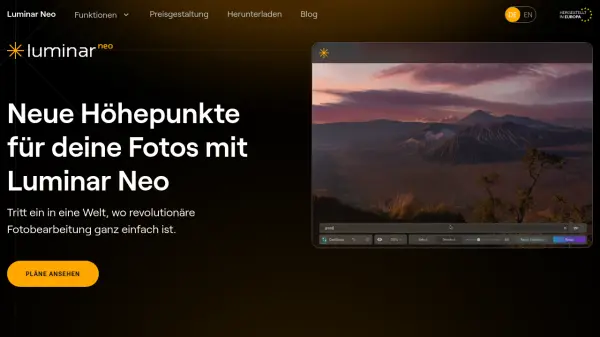
What is Luminar Neo?
Luminar Neo is a comprehensive photo editing software that leverages artificial intelligence to simplify complex editing tasks while delivering professional-quality results. The platform offers a wide range of advanced editing capabilities, including AI-powered image enhancement, RAW file processing, layer support, and non-destructive editing workflows. Users can automatically improve image quality, remove backgrounds, restore old photos, and apply sophisticated effects with minimal effort.
The software functions seamlessly as both a standalone application and as a plugin for popular editing suites like Adobe Photoshop and Lightroom Classic. With its intuitive interface, one-click AI-powered presets, and specialized tools for tasks like portrait enhancement and sky replacement, Luminar Neo makes creative photo editing accessible to users of all skill levels while maintaining the precision and control demanded by professionals.
Features
- AI Image Enhancement: Automatically improves image quality using AI algorithms
- RAW Editing: Works directly with RAW files for maximum quality and detail control
- Background Removal: AI-powered tools to remove or change backgrounds in photos
- Portrait Enhancement: Specialized AI tools for portrait retouching and bokeh effects
- One-Click Presets: AI-adapted presets and LUTs for instant professional results
- Non-Destructive Editing: Edits without altering original image files
- Layer Support: Multiple image and adjustment layers for complex compositions
- Batch Processing: Apply edits to multiple photos simultaneously for efficiency
Use Cases
- Enhancing portrait photos with AI-powered retouching
- Removing unwanted objects or backgrounds from images
- Restoring old or damaged photographs to their original quality
- Applying artistic effects and filters to create unique visual styles
- Processing RAW photos with professional editing controls
- Creating composite images using layer-based editing
- Optimizing images for social media or professional portfolios
- Batch editing multiple photos for consistent results across a series
FAQs
-
What operating systems does Luminar Neo support?
Luminar Neo is available for both macOS and Windows operating systems. -
Can Luminar Neo be used as a plugin with other software?
Yes, Luminar Neo functions as both a standalone application and as a plugin for Adobe Photoshop, Adobe Lightroom Classic, and Photos for macOS. -
What are the system requirements for running Luminar Neo?
For macOS: Intel Core i5 or better, macOS 11.0 or higher, 8GB RAM minimum. For Windows: Intel Core i5 or AMD Ryzen 5 or better, Windows 10 version 1909 or higher, 8GB RAM minimum, OpenGL 3.3 compatible graphics card. -
Does Luminar Neo offer a money-back guarantee?
Yes, Luminar Neo offers a 30-day money-back guarantee.
Related Queries
Helpful for people in the following professions
Luminar Neo Uptime Monitor
Average Uptime
0%
Average Response Time
0 ms