ReddRadar

What is LogoMatic?
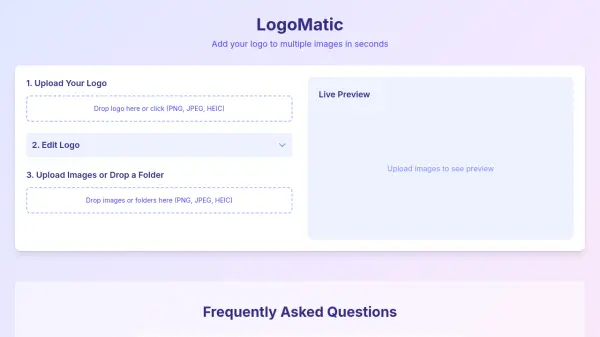
LogoMatic is a free, browser-based tool that streamlines the process of adding logos to multiple images. Users can upload their logo, adjust its position, size, and opacity, and then batch apply it to a set of images with a live preview. All processing occurs locally within the browser, ensuring complete privacy and security.
Ideal for businesses and individuals who need consistent branding across a large number of images, LogoMatic requires no software installation or account creation. Simply upload, edit, and download your branded images in seconds.
Features
- Local Processing: Images never leave the browser, ensuring privacy and security.
- Batch Processing: Apply logos to multiple images simultaneously.
- Adjustable Logo: Customize logo position, size, and opacity.
- Live Preview: See changes in real-time before downloading.
Use Cases
- Branding product photos for e-commerce.
- Adding watermarks to portfolio images.
- Applying company logos to presentation slides.
- Consistent branding across social media visuals.
FAQs
-
What is LogoMatic?
LogoMatic is a free, browser-based tool that lets you add your logo to multiple images quickly. No software installation or account creation is needed. -
How secure are my images?
Your images never leave your browser. Everything is processed locally, ensuring complete privacy and security. -
Can I adjust the logo position and size?
Yes! You can place your logo anywhere on the image, and adjust size and opacity as needed.